A complete tutorial on AI code-free website building, 7 steps to build a website without writing code in 2026
🇨🇳 阅读中文版A complete tutorial on AI code-free website building, 7 steps to build a website without writing code in 2026
In the past, if you wanted to build your own website, you could hardly avoid a series of daunting steps: learning a front-end language, configuring a server, adjusting styles, and dealing with compatibility. For people without technical background, this threshold often blocks enthusiasm. By 2026, AI coupled with mature no-code tools are making this as easy as writing a document. You only need to express your ideas clearly in plain language, and many of the remaining steps such as framework building, copywriting, and picture layout can be left to tools to complete. This tutorial will take you through the complete seven steps from scratch to online in a popular way, so that people who have never written a line of code can have a decent website.
How AI reduces the threshold for building a website to almost zero
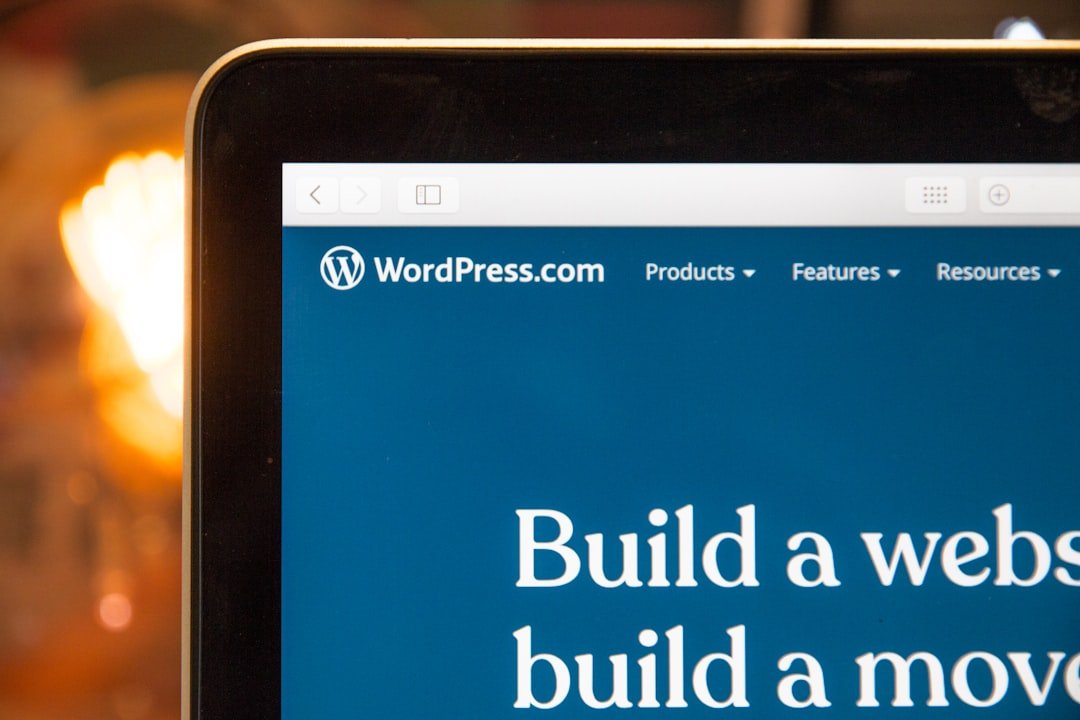
The difficulty in building a traditional website is essentially to translate "what do I want it to look like" into code that can be executed by the machine? This translation process requires professional training. It is this aspect that AI changes. Today's no-code platforms generally have access to large model capabilities. You describe your needs in natural language, and the system can generate the corresponding page structure, color scheme and even first draft copy based on public information. In other words, the communication method between people and tools has returned from writing code to speaking human language. In addition, the visual drag-and-drop editor allows you to adjust the position and size of each module just like layout slides. What you see is what you get. The superimposition of these two layers means that ordinary people no longer need to understand the nested relationship of HTML tags, and they can also move the images in their minds to the screen. Of course, lowering the threshold does not mean that you don’t have to think about it. You are still responsible for the content and structure, but you just hand over the tedious execution.
Step 1: Think clearly about what problem the website wants to solve

Many people rush to choose templates and colors as soon as they come up, but they realize halfway through that they have gone astray. The correct sequence is to think through the goal first. You have to ask yourself a few questions: Who is this website for? What do you want them to do after they come here, whether to leave contact information, place an order, or simply get to know you as a person. With different goals, the structure and focus of the website will be completely different. A customer-facing landing page pays attention to a clear conversion path, while a personal blog pays more attention to the readability and update rhythm of the content. After thinking about this, it is recommended to write down the core purpose of the website in one sentence, such as "Let potential customers decide whether to contact me within three minutes." This sentence will become the yardstick for all your subsequent choices. This step does not require any tools, but it determines whether the next six steps will get twice the result with half the effort or repeat rework.
Step 2: Pick a no-code platform that’s right for you

Once the goal is clear, it’s time to choose the tools to carry it. There are many no-code website building platforms on the market, some favor design freedom, some favor out-of-the-box use, and some specialize in serving certain types of scenarios such as e-commerce or portfolios. When choosing, you don’t have to pursue the one with the most complete functions, but rather see whether it matches your actual needs and ability to get started. A common misunderstanding is to be attracted by the fancy function list, but only three or five items are actually used. A safer approach is to use the free version to try out a simple page first, to feel whether the editor is smooth, whether the AI-generated content is close to your expectations, and whether it is convenient to export and bind domain names. There is a big difference in price. Please refer to the official public page for details. There are usually stepped packages to distinguish between free trials and advanced functions. Choose tools as long-term partners. The cost of migration is far more important than the few dollars saved in the initial stage.
Step 3: Use AI to generate website framework and first draft of copywriting
Entering the formal production process, the value of AI will be concentrated in this step. You no longer need to worry about where to start with a blank page. Instead, describe the goals and audience you thought of in the first step to the tool, and let it first provide a set of page framework, including which sections should be on the homepage, their order, and roughly what content should be placed in each section. After the framework is drawn up, let AI write the first draft of the copy based on the purpose of each section. It should be reminded that AI-generated content is the starting point, not the end point. It is good at putting together structures and speaking smoothly, but it does not understand the real details of your business and is prone to writing empty or routine sentences. So after you get the first draft, be sure to go through it paragraph by paragraph, and replace the general parts with your own real experiences, specific cases, and unique perspectives. AI saves you the pain of starting from scratch, but you still have to inject the content that really touches people.
Step 4: Match pictures and layout to make the page not look amateurish
After the text is finalized, the visual presentation determines the visitor's first impression of the website. You don’t have to hire a professional photographer to accompany pictures. Nowadays, many platforms have built-in royalty-free libraries and the ability to use AI to generate pictures, which can produce pictures that fit the theme based on your description. The principle of selecting pictures is to err on the side of lack of content. A high-quality picture that is relevant to the content is better than a bunch of flashy decorations. In terms of typography, you can avoid most of the amateurish feeling by grasping a few basic points: there should be enough white space and do not crowd the elements; there should be no more than two fonts on the same page; keep a clear hierarchy between the title, body text, and buttons. Templates for no-code platforms usually take care of these details, and all you need to do is replace the content without destroying the original proportions and spacing. If you are not sure, read more excellent websites of the same type, imitate their rhythm, and slowly develop your own aesthetic judgment.
Step 5: Bind your own domain name
At this point, your website has basically taken shape, but most of it is still listed under the second-level domain name provided by the platform, and the address is long and difficult to remember. If you want to appear formal and professional, binding an independent domain name is almost a must. The domain name is the URL that the visitor enters into the browser. A domain name that is short, easy to remember, and related to your brand is itself an endorsement of trust. There are many channels to purchase domain names, and the price varies depending on the suffix and popularity. Please refer to the official public page for details. After purchasing, follow the instructions in the settings of the website building platform to complete the resolution and binding. Usually you only need to fill in a few records given by the platform into the backend of the domain name service provider, and wait for a period of time to take effect. This process sounds technical, but the actual operation is mostly to follow the steps and fill in the blanks. After the binding is completed, remember to check whether the website already supports secure access. Nowadays, mainstream platforms will automatically configure this layer of protection.
Step 6: Lay a good foundation for SEO so that the website can be searched
If the website is launched without any optimization, it is likely to be buried in the vast sea of web pages and no one can search it. SEO, or search engine optimization, aims to make your website more likely to appear in the results when others search for relevant content. For novices, there is no need to delve into complex technical details right from the beginning. The effect will be obvious if you lay down a few basics first. Write a clear title and description for each page so that search engines and visitors can understand what the page is about at a glance; naturally incorporate keywords that users may search for in the copy, but avoid rigid stacking; fill in descriptions for images; ensure that the website can also be browsed smoothly on mobile phones, because mobile experience is now an important ranking factor. In addition, actively submitting your website address to search engines can speed up the indexing process. SEO is a long-term job that requires patience. Once the foundation is laid, subsequent content updates will be meaningful.
Step 7: Go online, observe and maintain
After completing the first six steps, you can officially launch the website. But going online is not the end, but another beginning. A website that has not been updated for a long time and has outdated information will damage your image. Therefore, after going online, it is important to develop the habit of reviewing it regularly. With the help of the platform's own or third-party access statistics tools, you can see how many people have come, where they came from, which pages they stayed on, and at which step they left. This data will tell you where your website is doing well and where it needs improvement. For example, if you find that visitors to a certain page leave in a hurry, you should think about whether the content is not on point. Maintenance also includes promptly updating expired information, repairing broken links, and adjusting copywriting based on feedback. Treat the website as a thing that will grow, so that it will become more and more usable over time, instead of being forgotten in a corner after it is built.
What dimensions should you look for when choosing a no-code tool?
Faced with a dazzling array of platforms, instead of listening to others saying which one is better, it is better to establish your own judgment dimension. The first thing to look at is the ease of use of the editor. After all, you will be living with it day and night. Whether drag and drop is smooth and whether modification is intuitive directly affects your mood and efficiency. Secondly, look at the quality and quantity of templates. A good starting point can save a lot of adjustment time. The third is to look at the practicality of AI capabilities and whether the generated framework and copywriting can really help, or are they just gimmicks. Fourth, look at the freedom of export and migration. Whether your content and data can be taken away is related to long-term initiative. Fifth, look at the matching between price and functions. Please refer to the official public page for details. The key is whether your commonly used functions are complete in the package you can accept. Finally, check whether the technical support and community are active, and whether you can quickly find answers to problems you encounter. By making a list of these items and scoring them one by one, the choice will be much clearer and it will not be easy to be led by marketing rhetoric.
Focus on building different types of websites
Not all websites use one set of ideas. The core of the portfolio website is the work itself. The layout should be restrained and the visual focus should be given to your pictures or cases. The navigation should be simple and clear, allowing visitors to quickly browse your capabilities. Landing pages usually serve a single goal, such as collecting leads or promoting an event. What they focus on is a clear conversion path, from attracting attention to guiding action in one go. Every element on the page should serve this goal, and redundant content will be interference. The focus of a blog is on the continuous production and organization of content. You need clear classification, convenient retrieval and a comfortable reading experience so that visitors are willing to read one article after another. E-commerce websites are more complicated. In addition to product display, they also involve shopping cart, payment, inventory and order management. When choosing a platform, you should especially confirm whether it is mature and reliable in these aspects. Only by recognizing the type of your website clearly and spending your efforts where you should focus most can you get twice the result with half the effort.
Several pitfalls that novices are most likely to step into
After taking these seven steps, there are several common pitfalls worth being wary of in advance. The first one is to be greedy for more, and want all the functions. As a result, the home page is cluttered, and visitors cannot find the key points. Less is more, highlighting the core information is the key. The second is over-reliance on direct publishing of AI-generated content. As mentioned earlier, this type of content is prone to being similar and empty, lacking real details, which will make the website appear soulless. The third is to ignore the mobile terminal. Many people only preview on computers, but forget that most visitors actually use mobile phones. They must go through the entire process on mobile phones before going online. The fourth is to ignore the loading speed. Uncompressed images and too many modules will slow down the page, and the patience of visitors often only lasts a few seconds. The fifth is to forget about it once it is built. The website needs to be taken care of just like the flowers and plants. Avoid these pitfalls, and your website will not remain at the "usable" level, but will be truly useful.
FAQ
Can I really make a website independently if I don’t know how to program at all?
Can. Today's no-code website building platform is designed for people without technical background. Through visual drag and drop and AI-assisted generation, you can create a page by describing your needs in natural language. What really requires your investment is not technology, but thinking about content and goals. For slightly technical aspects such as binding domain names, the platform usually provides step-by-step instructions, so just follow them.
Will website content generated with AI be judged as low quality by search engines?
The key is whether you have done substantial work on the first draft of the AI. Directly copying the generated routine copywriting can indeed easily appear hollow and homogeneous. But if you use it as a starting point and incorporate your own real experiences, specific cases, and unique perspectives, the quality of the content will be very different. Search engines value real content that is valuable to users, not who drafted the text.
How much does a no-code website building platform cost?
Prices vary greatly. Each platform usually has a ladder package, from free trial to advanced functions, and the domain name also needs to be purchased separately. Since activities and plans change frequently, please refer to the official public page for details. It is recommended to try out the free version first, and then select a paid package based on actual needs after confirming that the tool is suitable to avoid paying for functions you cannot use.
Can the completed website be changed to another platform or taken away later?
This depends on the platform’s export and migration policies, which vary greatly from company to company. Some support exporting content and data, while others are relatively closed. For this reason, it is recommended to consider the freedom of migration as a dimension to consider when choosing a platform in the second step. According to public information, understanding the export method in advance can allow you to retain more initiative in long-term use and avoid being tied to a single platform.
How long does it take for a website to be found in search results after it goes online?
There is no fixed answer to this. It usually takes some time for search engines to discover and include your website. The specific speed is affected by many factors such as content quality, update frequency and external links. You can actively submit your website address to search engines to speed up inclusion. Being included is only the first step. To stably appear at the top, continuous optimization and patient accumulation are required.
After writing this, you will find that the real difficulty is never the technology, but whether you have a clear idea and whether you are willing to spend time polishing it. Tools lower the threshold of execution to your feet, and you have to take the remaining step by yourself. Maybe late one night, you suddenly have something you want to share with the world. At that time, I hope you remember that building a website is no longer a distant thing.
📝 This article is from DouWen www.douwen.me . Please retain the source when reposting.
Original link: https://www.douwen.me/archives/1382/
💬 Comments (7)
Great resource.
Loved the FAQ section.
Step-by-step is gold.
Sharing this with my team.
Thanks for the detailed comparison.
Clear and to the point.
Practical tips not fluff.