A complete tutorial on building an AI automated workflow, 6 steps to hand over repetitive tasks to AI with Coze Dify in 2026
🇨🇳 阅读中文版A complete tutorial on building an AI automated workflow, 6 steps to hand over repetitive tasks to AI with Coze Dify in 2026
Turn on the computer every day, read the emails first, classify customer problems, then go to several platforms to capture data, organize it into tables, and finally write a report. These tasks are not difficult, but they are time-consuming, and if you don’t do them in one day, they will pile up. It was only in 2026 that many people slowly realized that this kind of repetitive work with clear rules and little need for creativity is exactly the part of AI automated workflow that is best at taking over. It doesn't require inspiration like writing a novel, but rather strings a series of steps that were originally done manually into an assembly line that can run on its own. This article will use as straightforward a method as possible to help you understand what AI workflow is, what problems it can solve, how to choose a mainstream platform, and then use clear 6 steps to teach you how to actually set up your first workflow.
What is AI automation workflow
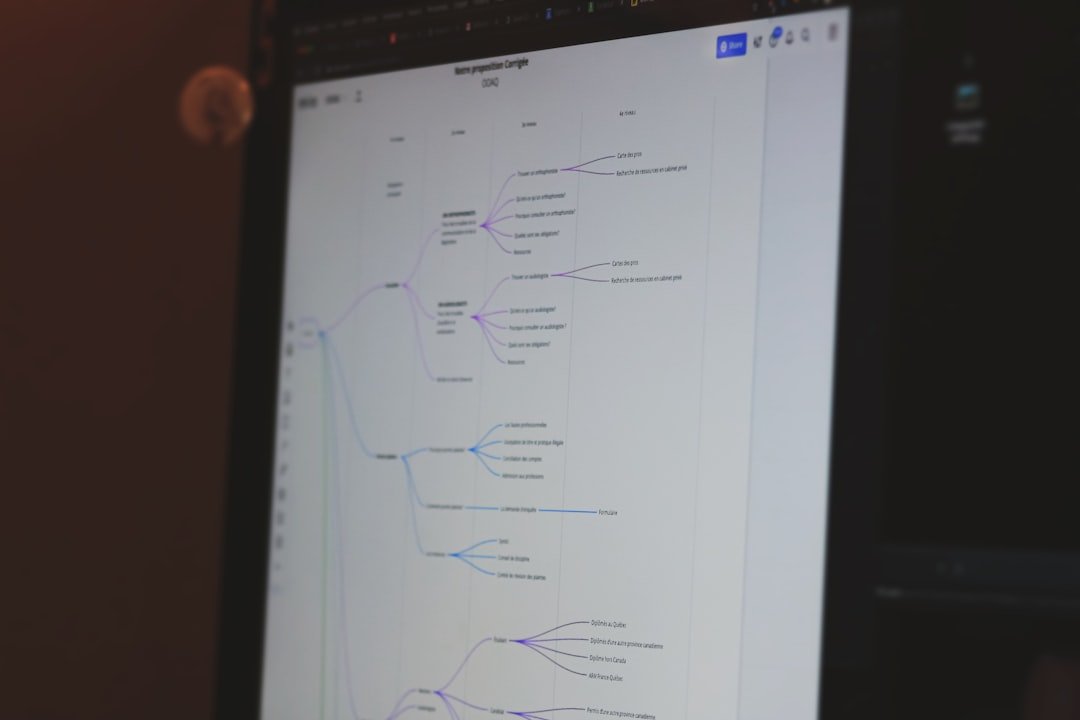
Simply put, AI automation workflow is to connect several actions in order and let them automatically execute in sequence when certain conditions are met. Some of the actions are completed by the large language model. Traditional automation can only handle rigid rules, such as forwarding an email when it is received, but it cannot read what is actually said in the email. After adding AI, the workflow will have the ability to understand and judge. It can understand a piece of natural language, extract key points, classify, and even generate responses.
You can think of it like a conveyor belt. On the far left is the trigger, which is responsible for deciding when to start, such as when the timer expires, new messages are received, and the form is submitted. There are nodes in the middle, some are responsible for adjusting the AI model to process text, some are responsible for reading and writing the database, and some are responsible for sending notifications. The far right is the output, sending the results where they should go. Once the entire belt is assembled, it can be run repeatedly without anyone watching. The difference between it and writing code is that most platforms are built using a drag-and-drop method, so the threshold is much lower, and people in ordinary operations, customer service, and marketing positions can also get started.
What problems can AI workflow solve?

The most direct value is to free people from repetitive labor. Most of the high-frequency questions faced by customer service every day have fixed answers. AI can be used to understand the questions first, match the knowledge base and automatically reply, and only transfer the really difficult ones to humans. Content operation requires changing a long article into versions for different platforms, and the workflow can generate multiple styles of drafts at one time. After sales leads come in, the level of intention is automatically determined, labeled, and pushed to the corresponding person for follow-up.
In addition to saving time, it reduces errors and omissions. People tend to miss steps when they are tired or busy, but as long as the logic of the workflow is correct, it will be executed according to the same standards every time. Furthermore, it can bring together information scattered everywhere. For example, we collect user feedback from different channels, let AI summarize the most frequently mentioned issues this week, and then generate a summary. This kind of work that originally required a dedicated person to spend half a day sorting out the results can be done in a few minutes after the arrangement is completed. Of course, it also has boundaries. It requires subjective creation, responsibility, or links where the rules are so vague that they cannot be explained. At present, it still cannot be separated from people. Workflow is more suitable to take over those parts with clear routines.
How to choose mainstream platforms: Coze, Dify, n8n

There is no need to struggle for too long in the entry stage. First, get to know three commonly mentioned platforms. Coze is a workflow and agent building platform launched by ByteDance. It has a friendly interface and a smooth Chinese experience. It is suitable for people who want to quickly create conversational robots and simple automation. It is very friendly to novices. It encapsulates many capabilities, and what you mainly do is configuration and wiring.
Dify is an open source LLM application development platform that can be deployed on the server by yourself, and the data is in your own hands. It is suitable for teams that have requirements for privacy and controllability, or that want in-depth customization. It is relatively mature in orchestrating AI applications, managing prompt words, and knowledge bases. n8n is also an open source automation tool. Its strength is connecting various external services. Hundreds of integration nodes make it like a universal glue that sticks different systems together. AI is just one type of node.
How you choose actually depends on your starting point. If you have no experience at all and want to run through something that can be used first, Coze is the fastest to get started; if you care about data autonomy and are willing to go through deployment, Dify is more suitable; if you need to connect a bunch of systems and the process is complicated, n8n is more flexible. According to public information, these platforms are continuing to iterate, and their functional boundaries are moving closer to each other, so there is no need to worry about choosing the wrong one. It is more important to use it first than to choose the best one.
Step one: clarify the process and break it down into steps
Don't touch the platform before you do it. The easiest thing to do is to drag the node as soon as you get up, only to realize halfway through the ride that you didn't even think about what you were going to do. The correct approach is to take a piece of paper or open a document and write down the thing you want to automate as a series of steps in vernacular from beginning to end.
For example, let's say you want to automate customer inquiry emails. You can break it down like this: first, a new email comes in; second, understand what the email is asking; third, determine which category it belongs to, whether it is pre-sales, after-sales or a complaint; fourth, depending on the category, either automatically reply or transfer it to the corresponding colleague; fifth, archive the handling record. After you finish writing, look back and clearly explain what the input is, what the output is, and what the basis for judgment is at each step. This step may seem tedious, but it determines whether the subsequent construction will go smoothly. The clearer the process, the easier it will be to connect on the platform. If you can't even speak smoothly, it means that this matter is not suitable for automation now. Think about the rules first.
Step 2: Select the trigger and decide when to launch it
After the process is streamlined, the first thing to be configured on the platform is the trigger, which is the starting gun for the entire workflow. There are several common triggering methods. Scheduled triggering is suitable for tasks that run at a fixed time every day, such as summarizing yesterday's data at nine o'clock every morning. Event triggers when something happens, such as a new email being received, a form being submitted, or someone posting a message in a group. Manual triggering, you click the button and it will run, which is suitable for processes that are still being debugged or used only occasionally.
The principle of selecting triggers is to fit the real scene. If the task itself is periodic, timed triggering is the most worry-free; if it needs to respond immediately to external actions, use event triggering. There is a point that is often overlooked here. Triggering too frequently will result in a waste of resources or even repeated processing, and triggering too sparsely will cause a backlog of information. For example, if customer consultation is set to be checked only once every hour, it may make people wait too long. Therefore, the frequency of triggers should be aligned with the tolerance of the business. When configuring, most platforms will ask you to fill in specific parameters, such as which mailbox to monitor and the specific time for timing. Just fill in the corresponding parameters according to the process you wrote in the first step.
Step 3: Configure AI nodes and write prompt words
This is the core link in the entire workflow where AI really plays a role. The task of the AI node is usually to receive the content from the previous step, process it according to your requirements, and then pass the result to the next step. The most important thing about configuring it is not which model to choose, but to write the prompt word clearly. Prompt words are the instructions you give to the AI. If you write them vaguely, it will answer erratically.
Take email classification as an example. You can't just write "Help me classify it", but you have to tell it clearly. Please read the following email and determine which category it belongs to: pre-sales consultation, after-sales issues, complaints and suggestions. Only output the category name without explanation. List the optional categories and set the output format so that subsequent nodes can receive the results. If you ask AI to write a reply, you need to explain the tone, length, what must be included and what must not be said. A practical tip is to give it one or two examples to tell it what kind of input corresponds to what kind of output, and its stability will be significantly improved. After configuring, be sure to test run this node separately in the platform with several real pieces of data. First confirm that it can output stably before connecting to other nodes. AI nodes are the most prone to accidents, and separate verification can save a lot of follow-up investigations.
Step 4: Connect to the data source and let the workflow read and write real data
AI processing alone is not enough. The workflow must be able to obtain real data and write back the results, otherwise it will be an idling toy. Data sources are roughly divided into two ends. The input end is the raw material to be processed by AI, such as emails in the mailbox, a row of records in the table, customer information in the database, and content returned by an interface. The output end is the place where processing is completed, such as writing into a table, updating the database, sending it to the group, and generating a document.
When connecting to data sources, the platform generally provides ready-made connectors. You can authorize and log in to the corresponding account, and select which table to read and which field to write. If it is more complicated, you may need to call the interface and fill in the address and key. Pay special attention to the correspondence between the fields here. The AI output in the previous step was the category name. When writing the form in the next step, make sure to fill in the correct columns. Don’t make mistakes in the order and names. This is the most common low-level mistake during wiring. Another type of need that is often overlooked is to save and archive the results of AI processing. For example, if you ask AI to sort out a week's feedback summary and want to export it into a neat document to save or send to colleagues, you can useSave AIThis type of tool is a Chrome browser extension that can export conversations from ChatGPT, Claude, Gemini and other sites into PDF, Word, Markdown, JSON or long images with one click. It is local priority, available offline, and the data is not uploaded to the cloud. It is suitable for concentrating the output of conversational AI.
Step 5: Test and tune, run through the complete link
After all nodes are connected, don't rush to go online yet. It is necessary to run it several times. There are two levels of testing. The first layer is a single point. Part of it has been done when arranging AI nodes. Here we confirm that each node can give the expected output after receiving the correct input. The second layer is end-to-end, starting from the trigger, letting the data actually flow through each node to see if the final result is correct.
When testing, deliberately select some tricky data. In addition to normal situations, we also feed some boundary examples, such as an email with a short and unclear content, a consultation that obviously belongs to multiple categories, or even a messy input, to see if the workflow will get stuck or misjudged. The AI node needs to be tested in particular, because its output itself has a certain degree of uncertainty, and you need to observe whether it is stable under various inputs. If you find problems, go back and change them. Usually the prompt words are changed, the requirements are written more clearly, or examples are added. It may also be that there are loopholes in the process itself. For example, if a situation is missed and not handled, then go back to the first step and make up the branch. Tuning often requires several iterations, which is normal. Don’t expect it to be perfect the first time. Just run all common situations smoothly and reach the online standard.
Step 6: Official launch, continuous monitoring and iteration
After the test passes, the workflow can be officially launched. Going online is not the end, but the beginning of another period. In the first few days after it goes online, check its running records more frequently than usual. Most platforms will keep logs of each execution, showing the input and output of each step and whether it was successful. With the help of these records, you can promptly discover the real situations that were not covered by the test.
As you use it for a long time, you will accumulate a lot of actual cases, which is the most valuable tuning material. Collect those examples of AI judgment errors and process deviations, review them regularly, and optimize prompt words or supplement process branches in a targeted manner. The business is also changing, new consultation types and new data sources will appear one after another, and the workflow must be updated accordingly. If it cannot be configured well, it will be left alone. In addition, it is recommended to add some caveats to key links. For example, if the AI is not sure, don’t guess, but transfer it to a human, or send a reminder. A good workflow is developed, not built at once. As you continue to polish it, it will become more and more realistic and take over more and more tasks.
Practical case: Automatically summarize weekly user feedback
String together the previous steps to see a complete example. A small team has to sort out user feedback every week. The feedback is scattered in emails, forms, and communities. In the past, one person spent most of the day collecting and classifying it manually. They transformed this thing with workflow. The trigger is set to start every Monday morning. The first step is to capture last week's feedback records from several data sources and bring them together. The second step is handed over to the AI node, and the prompt word requires it to summarize all the feedback into several main categories, count the approximate number of each category, and extract the most noteworthy ones.
The third step is to write the summary generated by AI into a shared document, and at the same time export and archive the organized content to facilitate future review and reporting. The whole process only takes a few minutes to complete, and almost no one needs to intervene in what used to be half a day's work. The person in charge only needs to open the document on Monday to read the conclusion, and focus on how to deal with the problem instead of spending it on collecting and organizing. This case is not complicated, but it is very typical. Several of its actions correspond to the triggering, data capture, AI processing, and archiving output mentioned earlier. Novices can follow this skeleton and change it to their own business scenarios. The key is to start with something that is simple enough and has clear enough rules. Once you have mastered it, you will have confidence and experience, and then move on to something complicated.
Common pitfalls: These are the places where it’s easiest to stumble
The pitfalls faced by novices when building workflows are often highly similar. The biggest one is greed for more and seek perfection. The first workflow wanted to automate a whole set of complex businesses. As a result, there were a large number of nodes. It was difficult to troubleshoot any problems at any step, and we gave up halfway through the process. The correct approach is to start with the minimum available, let the simplest link run first, and then gradually add things.
The second pitfall is that the prompt words are written too casually, thinking that the AI understands everything. As a result, its output is sometimes good or bad, and the downstream nodes are frequently unable to receive it. The prompt words should be as specific as possible, and the categories, formats, and boundaries should be written down. The third pitfall is to go online without testing. Once the real data comes in, various unconsidered situations are discovered, causing erroneous results to be posted everywhere. The fourth pitfall is to forget about it after configuring it. The business changes, the data source structure changes, and the workflow fails silently without anyone noticing. Another point that is easily overlooked is data security. Randomly leaving sensitive information to external services for processing may bring privacy risks. You must be extra cautious when involving customer data and give priority to data-controllable solutions. Keep these pitfalls in mind in advance, and your first workflow will go much smoother.
FAQ
Can I create an AI workflow without knowing any programming skills?
Can. Platforms such as Coze, Dify, and n8n mostly use a drag-and-drop visualization method, and you can set up a basic workflow without writing code. What you really need to focus on is thinking through the process clearly and writing the prompt words well. These two things rely on logic and expression, not programming ability. Starting from a simple task and learning by doing, the threshold is lower than imagined.
Coze, Dify, n8n which one should I choose?
Depends on your needs. If you want to get through the game as quickly as possible and have a smooth Chinese experience, Coze is suitable for novices; if you care about data autonomy and controllability and are willing to deploy it yourself, you can consider the open source Dify; if you need to connect many external systems and have complicated processes, the open source n8n has stronger integration capabilities. It is recommended to use the fastest one to get through the first workflow. Once you have a feel for it, you can then change or combine it according to actual needs.
How long does it take to build a workflow?
Depends on complexity. A simple workflow with only a few nodes, after clarifying the process, can be configured and tested on the platform in an hour or two. Complex multi-branch processes will take longer and require several iterations of tuning. It is recommended to do the simplest thing first, taking into account the time to get familiar with the platform, and don't challenge big projects right away.
How to save the results of AI processing
Within the workflow, the results can generally be written into tables, documents or databases for archiving. If you want to save the content produced by conversational AI separately, you can use a browser extension such as Save AI to export the conversation into PDF, Word, Markdown and other formats and save it locally. It can also be used offline for easy review and sharing in the future. Don’t skip the archiving step, it is a source of material for subsequent review and optimization.
What should I do if the AI node output is unstable?
This is the most common problem, usually with prompt words. Write the instructions more specifically, clearly define the output categories and formats, and give one or two examples for them to follow, and the stability will be significantly improved. At the same time, feed more tricky data during the testing phase to expose problems in advance. For key links, you can add a caveat. When the AI is unsure, it will be handled manually instead of letting it guess.
Unknowingly, those trivial tasks that once burdened your shoulders are being taken away bit by bit by these processes that can run on their own. When machines take away routines, what remains may be the part that truly belongs to humans.
📝 This article is from DouWen www.douwen.me . Please retain the source when reposting.
Original link: https://www.douwen.me/archives/1328/
💬 Comments (8)
Great resource.
Bookmarked for reference.
Loved the FAQ section.
Step-by-step is gold.
Practical tips not fluff.
Easy to follow.
Sharing this with my team.
Solid breakdown, very useful.