What to do if bugs always appear when writing AI code, 6 troubleshooting methods to make AI programming more reliable in 2026
🇨🇳 阅读中文版What to Do When AI Keeps Producing Buggy Code: 6 Troubleshooting Methods to Make AI Coding More Reliable in 2026
Writing code with ChatGPT, Claude, Cursor, and Copilot has become part of developers' daily routine, but many people have hit the same awkward situation: the AI's code looks plausible, yet when you run it, it either errors out or has wrong logic, and after fixing it for ages you would have been better off writing it yourself. The problem often lies not in the AI itself, but in how it is used. This article gives 6 troubleshooting methods proven effective in 2026, from prompts to model switching to the review process, to help you push the error rate of AI coding down to an acceptable range.
Why AI-Written Code Has Bugs

To solve a problem, first understand it. The root causes of bugs in AI-generated code fall roughly into several categories.
The first category is incomplete context. The AI does not know your project structure, dependency versions, or existing function-naming conventions, so it fills in the blanks from its own training data, which naturally tends to clash with your actual environment.
The second category is model hallucination. The AI will fabricate non-existent APIs, non-existent library functions, and non-existent syntactic sugar; this is an inherent problem of large language models that even the latest flagship models cannot fully avoid.
The third category is excessive task complexity. Having the AI write a complete feature module in one go makes it easy to miss the implicit logical branches, and the resulting code looks complete but crashes on some edge case when run.
The fourth category is version mismatch. The AI's training data has a cutoff time, and the latest-version framework you are using it may never have seen, so the generated code uses an outdated API.
Understanding these four root causes gives the later troubleshooting methods their targeting.
Tip One: Feed It the Full Context

The most effective troubleshooting method is to plug the gap at the source. Before having the AI write code each time, feed it the relevant context clearly. This includes: what language, framework, and version your project uses, what your directory structure looks like, what relevant functions and classes you already have, and what your code conventions are (such as indentation, naming style, and error-handling patterns).
In integrated tools like Cursor or Claude Code, you can directly drag files in or reference files with @, and the AI will automatically read the context. In a pure web chat like ChatGPT, you need to manually paste the relevant files in, or use the project-file upload feature.
A practical tip is to create a README.dev file in the project root, writing down clearly what tech stack the project uses, what conventions it has, and the responsibilities of key modules. Each time you start a new conversation, paste this file in the first message, and the code the AI generates afterward will conform significantly better to your project style.
Tip Two: Have the AI List a Plan Before Writing Code
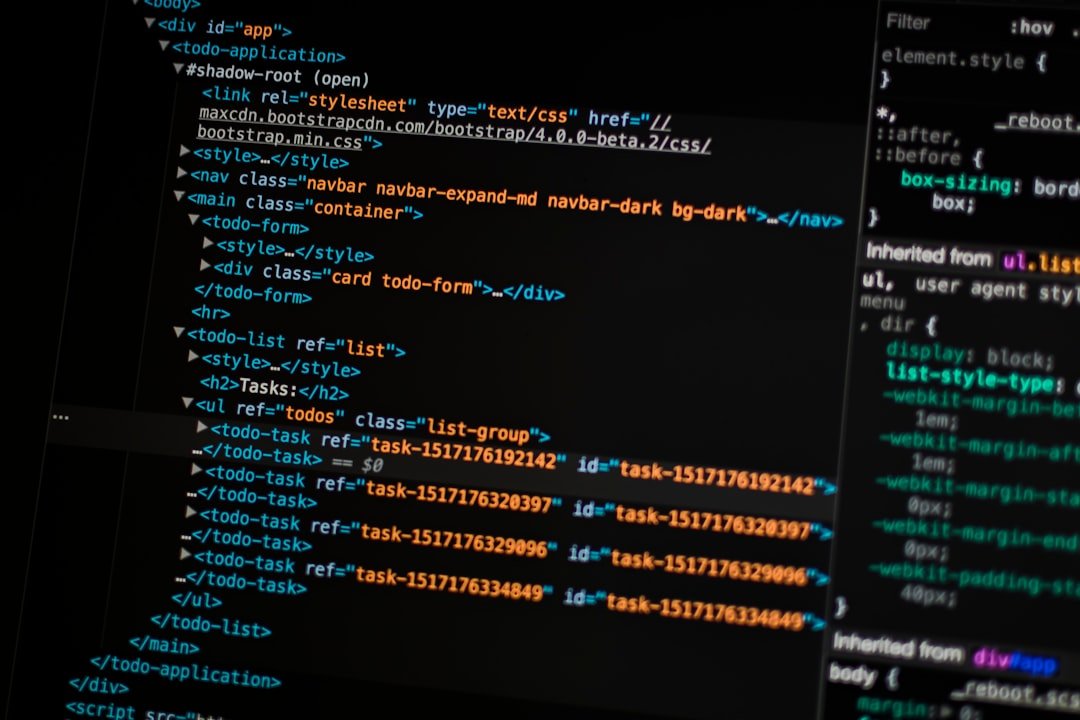
If you simply say "write an X feature," the AI will dive straight into coding, and the result is often that the details fall short or it strays from the requirement. A more reliable approach is to do it in two steps.
First, have the AI list an implementation plan. Write the prompt as: "Please do not write code first; first use an organized checklist to tell me how you plan to implement this feature, including how many functions it will be split into, what each function does, which libraries it depends on, and what edge cases need handling."
Once you see the plan, you can quickly judge whether the AI's thinking is correct. If it is wrong, adjusting at the planning stage costs far less than reworking at the code stage. If it is right, then have it write the code per the plan.
This plan-before-coding workflow is also emphasized in Anthropic's recommended Claude Code usage guide, and actual development efficiency turns out considerably higher than asking for code directly.
Tip Three: Iterate in Small Steps Rather Than Writing a Big Chunk at Once
The probability of bugs in a large chunk of code rises exponentially. If you write a 300-line feature at once, the AI's error probability is much higher than writing 30 lines, and the bugs are also hard to locate.
A better approach is to break the task into small steps, having the AI write only one function or one small module per step, getting it working before continuing to the next step. For example, building a user-management feature: step one, write only the data model and pass the tests; step two, write the registration endpoint and pass the tests; step three, write the login endpoint, and so on.
This small-step iteration pattern not only has a low bug rate, but lets you git commit at each step, so you can roll back anytime there is a problem. Cursor's Composer and Claude Code's Plan mode both encourage this practice.
Tip Four: Run Tests and Lint Promptly
After writing code, do not deploy or integrate it right away; first run the unit tests and static checks. These two steps can block at least half of the low-level bugs.
If the project itself lacks thorough test coverage, have the AI write a unit test or two for the core scenarios while it is at it, then run them and see which fail and go fix them. The AI writes tests more correctly than it writes feature code, because the test logic is relatively simple and clear.
Static-analysis tools like ESLint, Pylint, and the TypeScript compiler can find a large number of low-level errors without running the code, such as undefined variables, type mismatches, and unused imports. AI-generated code often introduces these small problems, and running lint once fixes them clean in a few seconds.
Integration tests and end-to-end tests are a stricter line of defense, suited to key modules or pre-release regression testing.
Tip Five: Try Switching Models
Different models perform very differently on different tasks. If the code ChatGPT writes keeps erroring, try Claude. If Claude does not work, try Gemini. If the flagship models all fail, try a code-focused tool like Cursor, Aider, or Cline.
The industry has a few generally recognized directions. Claude has a strong reputation on long-context understanding, rigorous reasoning, and code style, suiting complex refactoring and architecture design. ChatGPT's GPT-4o performs stably on fast generation, multimodal input, and tool calls, suiting interactive coding assistance. Gemini has an edge on ultra-long context (million-token level), suiting throwing an entire codebase in for global analysis.
On the domestic-model side, DeepSeek, Kimi, and Zhipu are also growing more mature on code tasks, with friendlier pricing, suiting low-cost alternatives for daily development.
Do not be loyal to any single model; use whichever works best for your current task. Keeping two or three AI chat windows open at once to compare outputs is a common practice among many seasoned developers in 2026.
Tip Six: Manually Review, Do Not Trust It Blindly
The last tip is also the most important: any AI-generated code should be reviewed by a human before merging. The AI's output looks very confident, but you cannot trust that the code works just because it says so.
Focus the review on a few aspects. First, check whether the API calls actually exist and whether there are fabricated function signatures. Second, check whether error handling covers the key failure paths. Third, check the logic around concurrency, state, and side effects, the area where the AI is most prone to problems. Fourth, check whether the code style, naming, and comments conform to your project conventions.
Reviewing does not necessarily mean staring at it line by line; you can have the AI do a first round of self-review, writing the prompt as: "Please re-examine the code you just generated and find possible bugs, security risks, and performance issues." This step often lets the AI discover its own errors, more efficiently than pure manual review.
Common Bug Patterns and a Quick Troubleshooting Checklist
When you hit an AI-code bug at work, you can run through the following checklist quickly.
Module-import error: check whether the package name is correct, whether the version is compatible, and whether an init file is missing. The AI often fabricates non-existent libraries or uses outdated APIs.
Type error: a TypeScript or Python type-hint mismatch, usually because the AI misunderstood the interface signature; paste the target function's source code and have it regenerate.
Logic error: output does not match expectations, usually incomplete edge-condition handling; add a few prints or breakpoints to locate exactly which step goes wrong.
Performance problem: calling an expensive operation inside a loop, an N+1 database query, or memory blowup; these are areas the AI is not good at and need manual optimization.
Security vulnerability: SQL injection, XSS, authentication bypass, and sensitive-information leakage; the AI often leaves pitfalls in these places, and key scenarios must be reviewed by a human.
Concurrency problem: race condition, deadlock, and state inconsistency; the AI is relatively weak at concurrency reasoning, and this part of the code is best not handed entirely to the AI.
A Workflow Paired With Code-Review Tools
If your team uses GitHub or GitLab, you can use code-review tools to boost efficiency. GitHub Copilot's PR review, CodeRabbit, Greptile, and others can automatically review pull requests, picking out potential bugs and style issues.
At the IDE level, Cursor, Claude Code, and Aider all support feeding the git diff to the AI to have it review, then automatically editing the code based on the review comments. With this combination, even if the AI's first draft has bugs, after automatic review and iteration the code finally merged into the main branch can stay at an acceptable quality level.
But tools are only an aid; manual review still cannot be skipped. The cost of a bug is magnified many times over in a production environment, and spending ten extra minutes on review up front is far more economical than pulling an all-nighter fixing bugs later.
Frequently Asked Questions
Can AI writing code fully replace programmers?
Not in the short term. The AI is indeed highly efficient at repetitive coding, template application, documentation lookup, and unit-test generation, but on things like system architecture, requirement understanding, cross-team communication, production-environment debugging, and security and compliance judgment, human engineers remain irreplaceable. Treating AI as a powerful assistant while keeping your own judgment and control over the whole system is the most robust approach right now.
Which model is best for writing code?
There is no standard answer. For simple scripts and prototypes, ChatGPT's GPT-4o or the free DeepSeek will do. For complex refactoring and long-context projects, the Claude series gives the best experience. For daily IDE integration, use Cursor, Copilot, or Claude Code. On a tight budget, use DeepSeek or locally deployed Qwen or Llama. The advice is to keep two or three on hand and switch by task.
Will writing code with AI leak company secrets?
There is a risk. The commercial versions of ChatGPT Plus and Claude Pro usually promise not to use your input to train models, but the transmission and storage still happen in the cloud. For highly sensitive code, it is advisable to use a locally deployed open-source model (running Qwen, Llama, or DeepSeek with Ollama) or a company-built private deployment. For everyday non-sensitive code, cloud AI is perfectly fine.
How do I choose among Cursor, Copilot, and Claude Code?
Cursor is a standalone editor with the most complete experience, suiting those willing to switch IDEs. Copilot is a VS Code and JetBrains plugin, suiting existing users who do not want to switch IDEs. Claude Code is a command-line tool, suiting developers who like terminal workflows. The underlying AI capabilities of all three are decent; it mainly comes down to your work habits. You can install all of them, try them for a week, and then decide which to use primarily.
How do I get the AI to learn my project conventions?
The most effective way is to create a conventions file in the project root, such as .cursorrules, CLAUDE.md, or .github/copilot-instructions.md, writing down clearly the naming rules, error-handling patterns, comment style, and tech-stack choices. Cursor and Claude Code both read these files automatically, and Copilot can read them via plugin configuration. Before each conversation the AI already knows your conventions, so the generated code conforms much better.
📝 This article is from DouWen www.douwen.me . Please retain the source when reposting.
Original link: https://www.douwen.me/archives/1263/
💬 Comments (7)
Practical tips not fluff.
Thanks for the detailed comparison.
Great resource.
Loved the FAQ section.
Bookmarked for reference.
Easy to follow.
Step-by-step is gold.