AI video script writing tutorial, 2026 short video complete process from topic selection to storyboard
🇨🇳 阅读中文版In the short-video era, whoever masters the script controls the gateway to traffic. Many newcomers think shooting videos relies on inspiration, but anyone who's done it for a while comes to realize that behind steady output lies a steady ability to write scripts. The arrival of AI tools has dramatically lowered the barrier on this: from topic selection to drafting to the shot list, AI can speed up nearly every step. This article breaks down the complete workflow that those of us who write scripts daily for Douyin, Xiaohongshu, and WeChat Channels distilled in 2026, going from the most basic concepts to specific shot-list writing methods, then to script formulas for different video types, to help you build a directly actionable working method.
The Essence of AI Video Script Writing

Many creators' understanding of scripts still stops at "writing down what you want to say," which is a fairly elementary view. A video script in the true sense is the intermediate product that translates "what you want to express" into "how the shots are filmed"; it's a shot-oriented text blueprint. The same piece of content might read smoothly as a text draft, but you may not be able to film it at all, because it doesn't account for shot transitions, pacing of pauses, or emotional ups and downs. The core task of a script is to do the advance planning for the director and the editor, giving the shooting stage something to go by and letting the editing stage know what should be visually presented every second.
The role of AI tools in this is to accelerate, not replace. It can accelerate topic screening, because it's seen more viral titles than any individual; it can accelerate drafting, assembling scattered keywords into a coherent talking-head script; and it can also help you break a talking-head script into shots along a timeline. But it can't judge for you which topic will go viral in your niche, nor decide for you which sentence needs to be emphasized or which shot needs a slow push-in; those judgments must be made by the creator personally. Treating AI as an always-online intern will multiply your output several times over, while treating AI as a fully automatic writer will most likely produce content describable only as mediocre.
Three Things to Clarify Before You Start

Before opening an AI tool, three things must be thought through in your head, or everything downstream will go off the rails. The first thing is platform tone: Douyin leans fast-paced and high-emotion, Xiaohongshu leans visually refined and feminine in expression, WeChat Channels leans toward middle-aged users and longer content, and Bilibili leans toward depth and a community feel. The same topic has completely different script tone, information density, and visual pacing across different platforms, and if the instruction you feed the AI doesn't note the platform, it'll give you a draft that fits nowhere.
The second thing is the target user. Talking about personal finance to a fresh graduate earning 3,000 a month versus to a middle-class person earning 50,000 a month involves two completely different directions of concern; the former cares about how to save their first sum of money, the latter about asset allocation and tax optimization. Before having the AI write the script, you should describe in a sentence or two the target user's age, identity, pain points, and typical scenario, so the script gains a sense of immersion. The third thing is video length. A 15-second viral short video and a 3-minute mid-length video are two different creatures in structure; the former values a one-line hook plus a single twist, while the latter needs a beginning, development, turn, and conclusion, even with section breaks. Tell the AI the length so it can control information density and not cram enough content for 3 minutes into 15 seconds.
How to Use AI in the Topic-Selection Stage
Topic selection is the step in the whole script workflow that can least be handed off to others, but AI can serve as a very good inspiration spark. My personal approach is to first manually sort out the hot topics in my niche over the past month—it could be the Douyin trending list, recently highly liked Xiaohongshu posts, or peers' viral titles on WeChat Channels—compile these into a paragraph, and feed it to a conversational model like ChatGPT, Claude, or Kimi. The instruction I give it is roughly: this is a list of recent viral titles in my niche; please analyze the commonalities of these titles, and based on those commonalities, help me generate twenty new candidate titles covering different emotional points and angles of entry.
After getting the candidates, don't just pick one and go; do a second round of screening. There are a few screening criteria. One is whether the title gives you the urge to click; if even you find it bland, viewers certainly won't click. One is whether the title fits the content direction you've already built up; frequently switching niches messes up your account's labels. And one is whether the title can be filmed with your existing resources; for example, if it requires appearing on camera in a specific location you have no chance to get to recently, then even a great title can only be abandoned. What AI does for you is expand the candidate pool tenfold, but the final call must be yours.
The Script-Drafting Workflow After Confirming the Topic
Once you've confirmed the topic, you enter the drafting stage. A competent short-video script usually has a three-part structure: the opening three seconds, the middle body, and the closing interaction. The opening three seconds are called the golden three seconds, and they have only one task: to keep the user from swiping away. Common hooks include creating suspense, throwing out a counterintuitive conclusion, posing a specific question the user cares about, or showing an unexpected image. When having AI help with the opening, you can have it give ten versions in different directions at once, pick the one with the strongest hook, then have it fine-tune on that basis.
The core of the middle body is the narrative hook—that is, giving the viewer a reason to keep watching every short stretch. It could be planting a small suspense and revealing it a few seconds later, stating the conclusion first then arguing it in points, or using second-person immersion to pull the user into the scene. Where AI most easily goes wrong here is writing it as a running account; you need to explicitly tell it to insert a twist or a punchy line at a specific second, so it consciously arranges the pacing. The closing interaction prompt isn't simply tacking on a "like and follow"; it should give a specific action instruction, such as having the user answer a specific question in the comments, prompting the user to bookmark for later rewatching, or guiding the user to tap your avatar to see the collection. The more specific the action, the higher the completion rate.
Breaking the Script into a Shot List
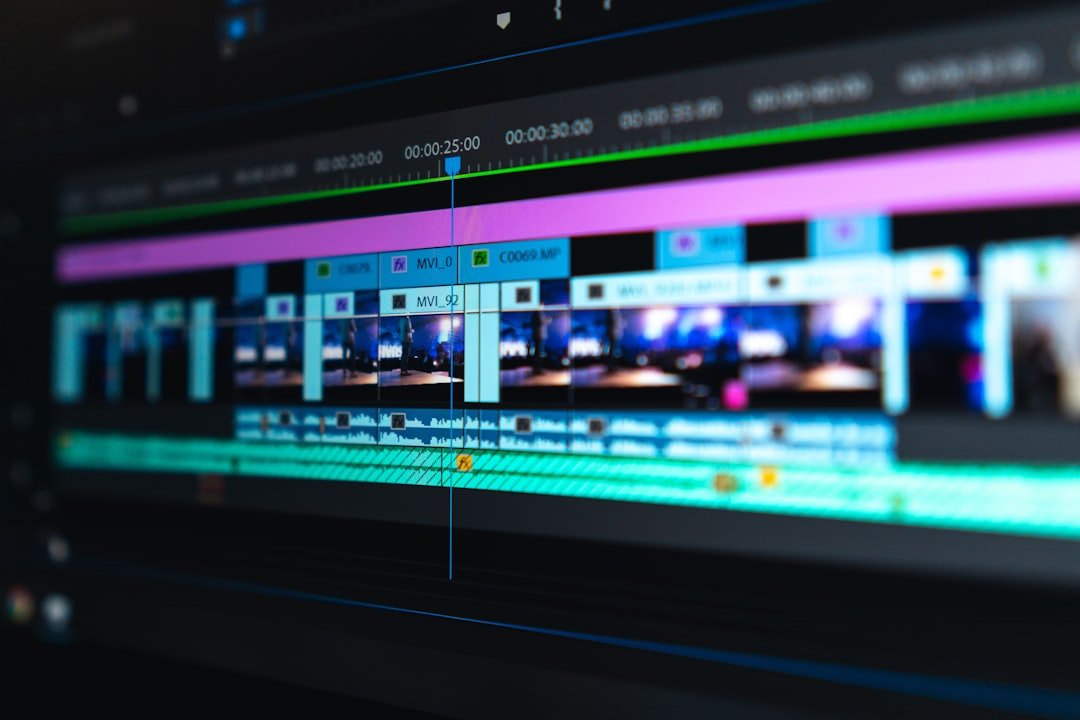
After the script is drafted, the most critical step is splitting it into a shot list, which determines the efficiency of shooting and editing. A standard shot list has four columns. The first column is the shot, describing what's filmed in this shot—medium shot or close-up, handheld or fixed, what the environment is. The second column is the subtitle, the text that should appear on screen in this shot, usually a simplified version of the talking-head content. The third column is the voiceover, the actual lines the creator reads aloud. The fourth column is duration, precise to the second, used to control the pacing of the whole video.
The way to have AI help you break out the shot list is to paste in the complete talking-head script, then give a clear instruction to split it into one shot per sentence or per small paragraph and output in four columns. The drafts AI gives are often too vague on shot descriptions, frequently producing things like "host explaining at the desk," which provides almost no information; such spots need you to manually rewrite into concrete shot language, like "close-up half-body, host's right hand holding a phone showing the screen, space left on the left for subtitles." For the duration column, AI estimates by average speech rate, but everyone's speech rate differs—some are faster, some like to pause—so you need to calibrate once against your actual speech rate, or the finished video will have the awkward situation of voiceover not matching the visuals.
Tips for Syncing Voiceover and Subtitles
Voiceover and subtitles look like two things, but they're actually two expressive layers of the same rhythm system. The voiceover's duration must strictly align with the shot's duration, which means when writing the voiceover script you can't just look at character count; you also have to factor in pauses, emphasis, and interjections in their entirety. "This is really too outrageous" and "So outrageous" differ a lot in character count but convey almost the same emotion; in a short video the latter is more suitable, because the time saved lets the visuals express the outrageousness.
The principle for handling subtitles is colloquial and short. Written language reads awkwardly in subtitles and breaks immersion; turn "therefore" into "so," "however" into "but," and many times just delete "extremely" entirely. Keeping a single line of subtitles within fifteen characters is most comfortable; beyond that length, viewers' eyes can't keep up, and they either swipe away before finishing or are forced to pause, hurting the pacing. If a sentence is too long, you can split it into two lines of subtitles, but make sure the split point is at a natural pause, not a hard cut in the middle of the sentence. An often-overlooked detail is that the subtitle color and position need enough contrast against the background; the subtitle is itself part of the visual elements, and doing it crudely directly drags down the whole video's quality.
Script Formulas for Different Video Types
Different types of short videos each have their own mature formulas in script structure. The common structure for knowledge-and-science content is pose a question plus subvert expectations plus argue plus summarize: open by posing a question most viewers probably can't answer, give a counterintuitive answer in the middle, support it with one or two pieces of evidence, and leave an open-ended thought at the end. The core difficulty of this structure is that the evidence must be solid; if the evidence itself doesn't hold up to scrutiny, viewers push back quickly.
The script structure for skit-style content is usually setup plus contrast plus punchline: the first half builds a seemingly ordinary scene, suddenly reverses at a certain point, and after the reversal reinforces the memory point with a punchy line or image. This type demands a lot of character building and line pacing; AI can help you draft, but the performance details must be worked out by the creator. The structure for review-and-comparison content is get-straight-to-the-point conclusion plus item-by-item breakdown plus closing recommendation; viewers open review videos to make decisions quickly, so the conclusion must appear early. The structure for tutorial-and-demo content is problem scenario plus solution plus step-by-step demo plus result showcase, with the core being a clear breakdown of steps, making the viewer feel they can replicate each step too.
Tips for Pairing Scripts with Visual Footage
No matter how well the script is written, without suitable visual footage to support it, the finished video will still look thin. Visual footage falls into two types: one is the main footage, the part where the creator appears on camera; the other is B-roll, the supporting footage used to fill in and illustrate. The role of B-roll is to give the viewer an intuitive visual reference while the creator narrates a concept or shows a scene, rather than letting the viewer stare at the talking person the whole time.
The principles for choosing B-roll are relevance and rhythm. Relevance means the B-roll must directly correspond to what's currently being narrated—talk about coffee and show coffee footage, talk about a city and show a city establishing shot—not pad with vague filler. Rhythm means the frequency of B-roll appearing should match the speech rate; an average of one shot change every three to five seconds is a comfortable rhythm—too fast causes visual fatigue, too slow makes the visuals feel sluggish. The way of switching shots also matters: hard cuts suit fast-paced content, dissolves suit emotional content, and using too many transition effects looks gimmicky, while clean, simple hard cuts paired with precise subtitle pacing are often most effective. AI tools' main help at this step is to annotate, next to each sentence in the script, what type of B-roll is needed, so footage collection and editing have clear guidance.
Common Pitfalls of AI Scripts
After writing scripts with AI for a while, you'll notice some recurring problems. The first common problem is being heavily formulaic; AI has studied too many sample essays and easily writes the kind of template draft that opens with "Have you ever had an experience like this," adds a few argued points, and ends with "Go give it a try." This kind of draft almost never has any standout numbers, because viewers are already sick of it. The best way to crack this is to explicitly forbid certain formulas in the instruction—for example, tell the AI not to open with a rhetorical question, not to use parallelism, and not to end with phrases like "go try it"—forcing it out of its comfort zone.
The second common problem is low information density; AI uses lots of adjectives and transition sentences to pad the character count, while there's actually very little effective information. Every second of a short video is expensive, and information density directly determines the completion rate, so you need to ruthlessly cut all unnecessary modifiers in the second-draft stage. The third common problem is a lack of personal style; the drafts AI writes anyone can use and wouldn't feel out of place on any account, but that also means they have no distinctiveness. The solution is to add your own catchphrases, speaking habits, personal experiences, or regional expressions on top of each draft, so viewers know it's you speaking the moment they hear it. The fourth common problem is a machine-translated feel; sometimes AI writes sentences that look smooth but read awkwardly, usually because it's rigidly applying some grammatical structure; such spots must be read aloud to test, and any sentence that's awkward to say should be rewritten without exception.
Frequently Asked Questions
What do I do if AI-written scripts read very mechanically?
The root of the mechanical feel is a draft lacking personal imprint. The most effective solution is to do a second rewrite on top of the AI's first draft, adding your real experiences, catchphrases, and regional expressions bit by bit. If you usually like to use a certain interjection when you speak, let it appear in the draft; if you have a relevant personal experience, use a sentence or two to replace the AI's vague generic example. After rewriting, read it aloud once, and rewrite every sentence that doesn't sound like you talking, and the mechanical feel naturally disappears.
How long should a short-video script be?
Character count is directly tied to video length, but speech rate varies greatly from person to person, so only a rough range can be given. A 15-second video's voiceover script is about 60 to 80 characters, 30 seconds about 130 to 170, 1 minute about 250 to 300, and 3 minutes about 750 to 900. This data is estimated at a normal broadcasting speech rate; if you speak faster you can write a bit more, and if you speak slower you should dial it down. The most accurate method is to read the script against a stopwatch and adjust the character count based on the actual time taken; estimating by feel easily results in the finished video running over time.
Can AI directly generate a shot list?
It can generate one, but the generated shot list usually needs manual adjustment by the creator. AI is often too vague on shot descriptions, frequently giving low-information descriptions like "host explaining at the desk," and the shooting crew still won't know how to film it after receiving such a description. The creator needs to fully fill in each shot's framing, camera position, camera movement, and environmental details on top of the AI draft, recalibrate the correspondence between subtitles and voiceover, and re-estimate each shot's duration by their own speech rate. AI gives a starting point; the final shot list still depends on the creator polishing it based on a sense of the visuals.
Does the choice of AI tool matter much for a script's viral-hit rate?
There are indeed some differences between tools—some are good at creative divergence, some at structural organization—but these differences have far less impact on the final viral-hit rate than imagined. The core factors deciding whether a short video goes viral are topic judgment, content sincerity, and the patience to polish repeatedly; the tool is only an aid. Whether the same creator uses ChatGPT or Claude or Kimi, if the topic is well chosen and the script is revised with care, the final numbers won't differ in essence; conversely, if the topic is off and the draft only gets one pass before use, no tool can save it. Putting your energy into topic selection and polishing is more worthwhile than agonizing over the tool.
Does writing scripts with AI count as plagiarism?
It depends on exactly how you use it. If you use AI to help expand your thinking and draft a first version, then make substantive revisions yourself, add personal experience and judgment, and do content gatekeeping, the resulting draft falls within the realm of original work and doesn't constitute plagiarism. But if you directly copy and paste AI's output verbatim without any revision or review, then not only is there a duplication risk, there's also the possibility that the AI-generated content carries certain expressions from its training data. A good habit to develop is that no matter how smoothly AI writes, you read it through, revise, and add subjective judgment yourself, which both ensures originality and avoids platform-level risk.
📝 This article is from DouWen www.douwen.me . Please retain the source when reposting.
Original link: https://www.douwen.me/archives/1210/
💬 Comments (9)
Stats really back it up.
Bookmarked for reference.
Easy to follow.
Thanks for the detailed comparison.
Best summary I've read on this.
Clear and to the point.
Sharing this with my team.
Solid breakdown, very useful.
Loved the FAQ section.