AI Data Visualization Chart Tool Roundup: 6 Recommendations for 2026 That Need No Coding
AI Data Visualization Chart Tool Roundup: 6 Recommendations for 2026 That Need No Coding
In the past, if you wanted to turn a bunch of boring numbers into an understandable chart, you often had to fiddle with Excel's chart wizard, or simply learn a little bit of Python's plotting library. For people without a technical background, just figuring out whether to choose a bar chart or a line chart is a headache, let alone adjusting colors, layouts, and interactions. The situation is different now. More and more tools let you directly describe your needs in one sentence, and AI will help you draw the chart, and also help you sort out the color matching and layout. This article takes stock of several AI data visualization tools worth trying in 2026. The key point is that you don't need to understand code to get started.
AI makes charting easier
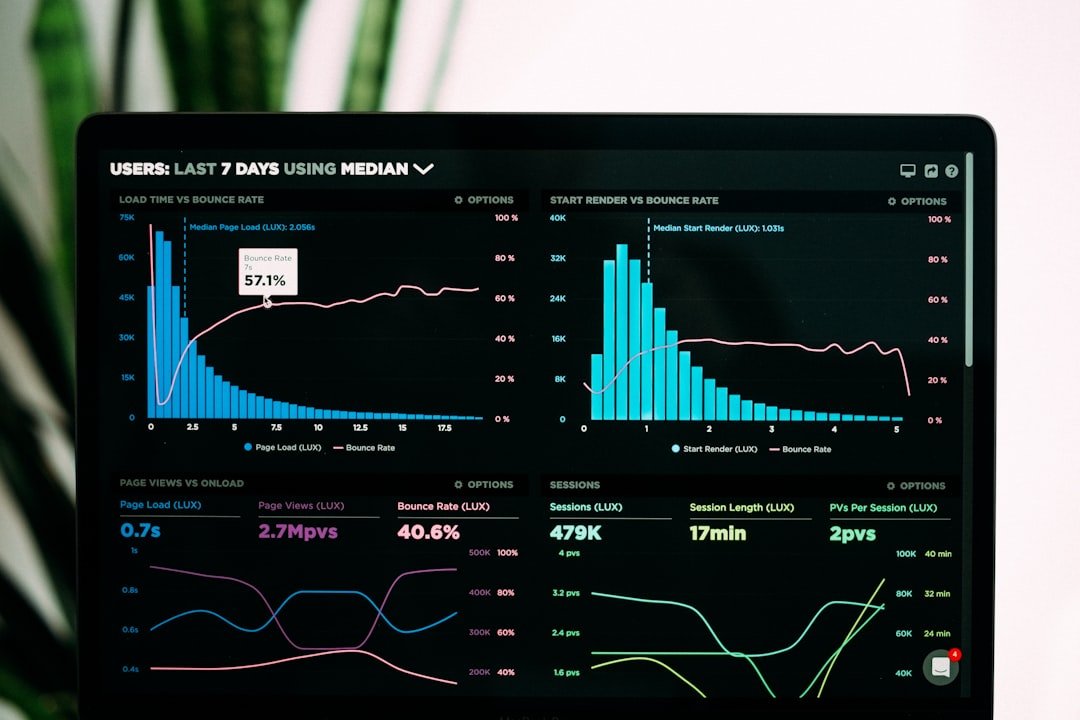
The biggest change that AI brings to data visualization is actually not making the charts more fancy, but lowering the threshold. In the past, you had to think clearly about what chart to use, how to aggregate the data, and how to set the axes. Now you can throw in a spreadsheet and simply say "I want to see the monthly sales trend," and the tool will automatically determine whether to use a line chart and put the month on the horizontal axis and the amount on the vertical axis.
Behind this is the ability of large models to understand natural language and tabular data. It can read your field names, guess which ones are time, which are numerical values, and which are classification dimensions, and then combine that with common visualization conventions to give a first draft. For many people, having such a decent starting point already saves most of the work. What's left to do is more about fine-tuning and judgment than building from scratch.
Which dimensions should you look at when choosing a visualization tool?
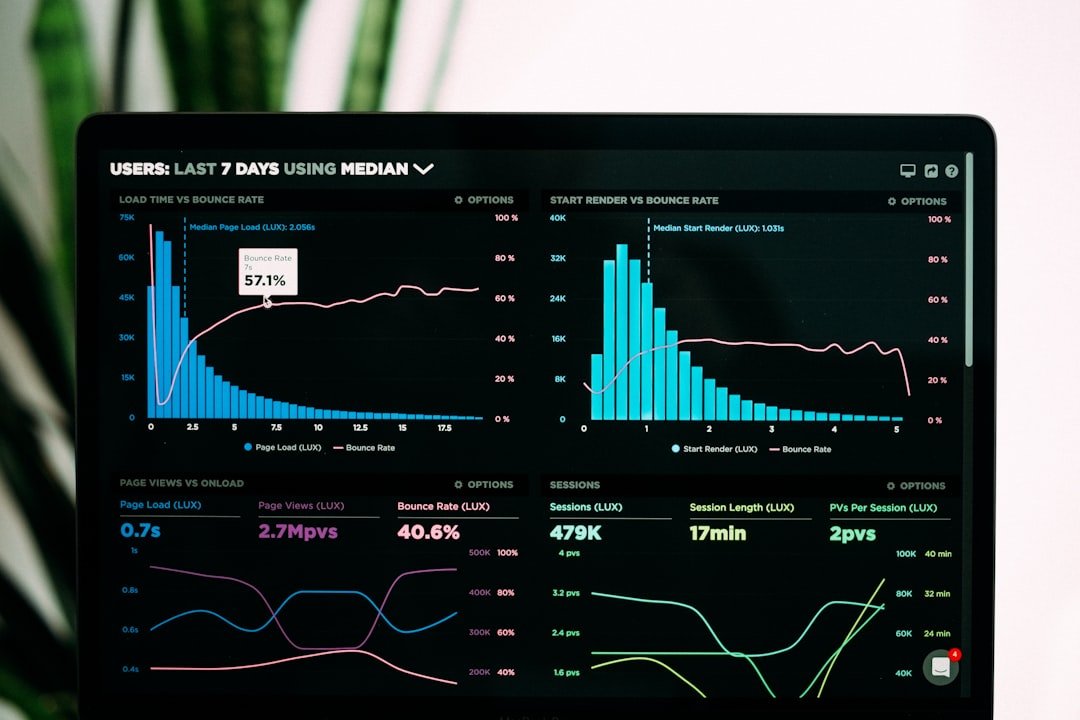
There are all kinds of tools. When choosing one, it is recommended to focus on a few practical dimensions and not be led astray by the marketing pitch.
The first is the ability to draw charts from natural language. Whether you can describe the requirements in plain words and the tool will provide a corresponding chart is the core difference between AI tools and traditional software. The second is the data access method. Some can only paste or upload files, while others can connect to databases, online spreadsheets, and even business systems. The more convenient the access, the less trouble. The third is the richness of chart types. Bar, line, and pie charts are the basics. Whether it can make advanced types such as maps, Sankey diagrams, funnel charts, and tree diagrams determines how complex the scenarios it can cover are.
The fourth is interactivity. Whether static images are enough, or whether you need to hover the mouse to see values, click to filter, and link multiple charts, is critical when making reports and large display screens. The fifth is exporting and sharing. Whether it can be exported to high-definition images, PDFs, embedded in web pages, or generate online links will directly affect how you use the chart later. If you think these things through clearly, you won't easily choose the wrong tool when you look at the specific options.
ChatGPT Advanced Data Analysis

OpenAI's ChatGPT provides the ability to process files and run analysis in the paid version, and is often used for data exploration and charting. You upload a spreadsheet file and describe what you want to see in Chinese or English. It will write code in the background to crunch the data, and then display the generated chart. Throughout the whole process you can neither see nor touch the code.
Its strength lies in its flexibility. It can try almost any statistic and chart you can think of, and it will proactively flag when there are problems with the data. It is particularly suitable for ad-hoc analysis and exploratory data viewing. It should be noted that the charts it generates are static with limited interactivity, and it occasionally draws errors due to misunderstanding the data, so the results must be checked by yourself. The specific functional boundaries and available scope are subject to the official public page.
The charting capabilities of Wenxin Yiyan and Tongyi Qianwen
Domestic large model products have also rounded out their data processing and chart generation functions over the past two years. According to public information, both Baidu's Wenxin Yiyan and Alibaba's Tongyi Qianwen support uploading documents or spreadsheets, and then generating analysis and visualization results based on the content. Their understanding of Chinese scenarios and local data formats is usually better.
For domestic users, the benefits of this type of tool are language barrier-free use, stable access, and being less prone to errors when processing Chinese field names and Chinese content. Their charting capabilities are similar to ChatGPT's. They automatically generate charts after understanding your intent, which is suitable for quickly reading data and doing preliminary analysis. For which specific chart types are supported and whether there is a limit on the number of uses, it is recommended to refer to the latest instructions on each company's official page. There may be differences between different versions.
The AI capabilities in Tableau and Power BI
If the previous ones lean toward lightweight exploration, then Tableau and Microsoft Power BI are the two representatives of enterprise-level BI. They are professional data analysis platforms in themselves. In recent years, they have added AI assistance capabilities, making it easier for business personnel who don't understand technology to get started.
Tableau provides the function of using natural language questions to generate charts and insights. You enter a question and it helps you build the corresponding view. Power BI combines Microsoft's AI capabilities to automatically recommend appropriate charts based on the data, generate summaries, and query data in a conversational manner. The advantages of these two are strong data access, the ability to connect to various data sources, and the reports they produce are professional and interactive, making them suitable for teams that need to maintain data dashboards for the long term. The threshold lies in their overall heaviness, and the learning curve is steeper than that of pure chat tools. The specific authorization method and price are subject to the official public page.
Fanruan's reporting and large-screen capabilities
Fanruan is a relatively representative vendor for reports and data display screens in China. Its products are often used by companies to build fixed-format reports and large visualization screens. Its positioning leans toward internal data applications within the enterprise, with its strengths in docking with business systems, making complex Chinese-style reports, and the kind of cool dashboards that are displayed scrolling on a large screen in a command center.
With the wave of AI, such traditional BI vendors are usually also moving toward intelligence, adding auxiliary analysis and intelligent query capabilities to lower the threshold for non-technical personnel. If your need is an enterprise-level reporting system or data display screen that needs to run for the long term, rather than drawing a chart on an ad-hoc basis, then this type of professional platform will be more suitable than chat-based AI. The specific functional modules and quotes are subject to official public information.
Lightweight tools like Flourish and ChartGPT-style tools
There is also a category of tools dedicated to turning data into beautiful, shareable content. Flourish is one of the well-known ones. It provides a large number of ready-made visualization templates, including dynamic bar chart races, maps, story-based scrolling narratives, and more. By filling data into a template, you can produce a very well-designed chart. It is especially popular with media and self-media creators, and the resulting charts are very suitable for inclusion in articles or social platforms.
In addition, a number of lightweight online tools with "Chart" and "GPT" in their names have appeared on the market. They focus on the experience of directly outputting a chart when you describe your needs, and are suitable for quickly generating simple charts. Such tools are generally quick to get started with and require no installation. The downside is that their depth of customization and data processing capabilities are relatively limited. It is best to confirm their data privacy policy before choosing one, and don't casually upload sensitive data. For specific functions, please refer to the official page of each tool.
How to choose according to usage scenario
There is no absolutely good or bad tool; it all depends on what you use it for. If you just want to quickly see the pattern in a piece of data on an ad-hoc basis, ChatGPT's Advanced Data Analysis or the charting functions of domestic large models are the most trouble-free. You can upload files, ask questions, and view results in a few minutes.
If you are making a report presentation and need good-looking charts that can be clicked on to see the details, then tools such as Power BI and Tableau that can make interactive reports are more suitable. They make it convenient to export to PDF or embed in slides. If the target is an enterprise data display screen, the kind of dashboard that needs to hang on a screen for the long term and refresh in real time, the large-screen module of a professional platform or BI tool like Fanruan is more reliable. If you are writing for a public account or making short videos that need accompanying visuals, and you are pursuing visual impact and ease of sharing, template tools like Flourish can make your charts look more professional than others at a glance. Think clearly about who you're showing the finished product to and where it will go, and then work backward to decide which one to choose.
A set of practical workflow suggestions
Chaining these tools together will make you more efficient. A common approach is to do it in stages: first use chat-style AI tools to explore, quickly try several charts, and figure out what stories in the data are worth telling; after determining the direction, use more professional tools to create the final product.
Specifically, this can be done as follows: After getting the data, simply clean it, rename the fields clearly, and remove obvious dirty data. Once this step is done, the AI will understand it more accurately; then use natural language to describe the angle you want to see, and let the AI produce several first drafts; pick the one that best illustrates the problem, and then decide whether to use it directly or move it to a professional tool for refinement. For reports, don't forget to add a title and a one-sentence conclusion so that readers don't have to guess what you want to express. Throughout the process, AI is responsible for doing the grunt work and providing inspiration, but the final decision still depends on you.
Don't let AI mislead your data interpretation
This last point is more important than the tool itself. AI generates charts quickly, but it doesn't necessarily get it right every time. A common problem is that it may choose the wrong chart type, such as drawing data that should use a line to express a trend as a pie chart, or putting two sets of data that shouldn't be compared together, which looks reasonable but is actually misleading.
There are also more hidden situations where AI may have aggregated or filtered the data in some way without you noticing, causing the conclusions presented on the chart to be inconsistent with the original data. An axis that doesn't start from zero, treating correlation as causation, and ignoring outliers are all common pitfalls in charts. AI will not proactively check these for you. Therefore, when you get any automatically generated chart, it is recommended to go back and check whether the data range is correct, whether the units are wrong, and whether the conclusion really holds up. Tools can help you draw beautiful charts, but ultimately it is up to people to judge whether the data is telling the truth. The more convenient the technology is, the more valuable it is for us to keep a clear head.
FAQ
Can you use these AI charting tools if you don't understand code at all?
Yes. This is the selling point of this batch of tools. As long as you can describe your requirements in natural language and upload or paste data, the tools will help you produce charts without writing any code in the whole process. Template tools like Flourish can be used just by filling in data.
Can AI-generated charts be used directly for reporting?
It is not recommended to use them directly without checking. AI can produce charts quickly, but it may choose the wrong chart type or cause deviations in interpretation. Before formal reporting, be sure to check whether the data range, units, and conclusions are accurate. If necessary, make manual adjustments and confirm they are correct before use.
How should I choose between domestic tools and foreign tools?
If your data and audience are both in China and you handle a large number of Chinese fields, local tools such as domestic large models and Fanruan are usually more convenient in terms of language understanding and access stability. If you are already using Microsoft or an international data system, the ecosystem connection of Power BI and Tableau will be more natural.
How much do these tools cost?
Pricing and packages vary widely among companies and are frequently adjusted. The most common model is a free version plus a paid subscription. Specific numbers are not listed in this article. It is recommended to directly check the official public page of each tool for the latest quotes and feature comparisons.
Is it safe to upload data using AI tools?
It depends on the privacy policy of the specific tool. For data involving company secrets or personal sensitive information, be sure to confirm how the tool stores and uses the data before uploading it. In enterprise scenarios, it is recommended to choose a platform that supports private deployment or has clear compliance statements. With ordinary online tools, try to use only anonymized data.
📝 本文来自抖文 www.douwen.me ,转载请保留出处。
原文链接:https://www.douwen.me/archives/1321/
💬 评论 (9)
Great resource.
Practical tips not fluff.
Clear and to the point.
Solid breakdown, very useful.
Loved the FAQ section.
Thanks for the detailed comparison.
Stats really back it up.
Best summary I've read on this.
Sharing this with my team.