Claude Code vs Gemini CLI vs Codex, 2026 Comparison of the three giants of AI command line programming
Claude Code vs Gemini CLI vs Codex: The Big Three of Command-Line AI Coding in 2026
Command-line AI coding became a distinct tool category in 2026. In the past, when developers discussed AI writing code, the default scenario was completion popping up in an IDE plugin; this year, more and more developers run AI directly in the terminal, letting it read the project, modify files, run commands, run tests, and commit code on its own. This way of working is a bit like having a tireless junior engineer beside you — you give a task description and it goes off to complete it. All three leading large-model companies have launched corresponding command-line tools: Anthropic's Claude Code, Google's Gemini CLI, and OpenAI's relaunched Codex CLI. This article doesn't grind through score leaderboards; instead it makes a qualitative comparison across core capability, cross-file understanding, tool calling, context window, pricing strategy, and audience fit, to help you judge whether these three tools suit your workflow.
A Brief History of Command-Line AI Coding Tools
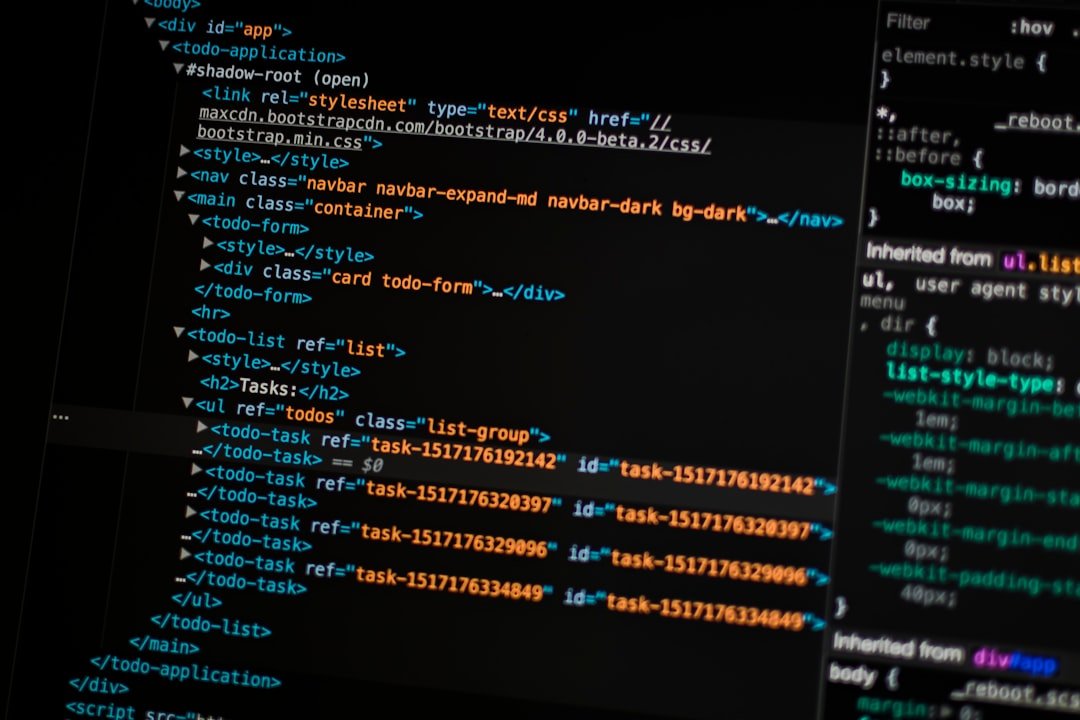
Rewinding the clock, AI coding's evolution can be divided into three stages. The first stage was single-line completion, with GitHub Copilot's early versions as the typical representative — pause the cursor in the IDE and gray hint text appears, accepted or rejected by Tab. The second stage was chat-style assistance, with each provider adding a conversation window to the IDE so you could select a code block and have AI explain or rewrite it, expanding task granularity from one line to one function. The third stage is the current command-line Agent form, where the tool leaves the IDE and runs directly in the terminal, with task granularity expanded to a complete requirement — for example adding an endpoint, migrating a module, or fixing a class of bug — and the tool plans the steps, reads the relevant files, runs tests, and modifies code on its own. Two forces drive the rise of this form: one is models' increasingly long context windows, which can hold an entire project structure at once; the other is models' stronger tool-calling ability, able to reliably decide when to read a file and when to execute a shell command. Claude Code, Gemini CLI, and Codex CLI are all products of this wave.
A Quick Look at Claude Code's Core Capabilities

Claude Code is Anthropic's official command-line tool, running in the terminal and calling the Claude series of models behind the scenes. Its core interaction mode is the Agent loop: you type a natural-language task description in the terminal, and the tool enters a loop, repeatedly deciding which file to read next, what command to execute, and which code to modify, until the task is done or it hits a step needing confirmation and pauses. Claude Code doesn't require you to manually specify context files; it automatically explores the project structure based on the task and reads relevant files on demand, which is especially convenient with unfamiliar codebases. On tool calling, Claude Code has built-in basic tools for file read/write, shell command execution, and code editing, and also supports connecting external tools via the MCP protocol, making it fairly flexible to extend. On billing, you can use Anthropic's subscription plans or go straight to metered API billing, with the exact price tiers and quota strategy per Anthropic's official site. For stability on long tasks, Claude Code's experience is on the steady side among the three, suited to large tasks that need to run continuously for half an hour or longer.
A Quick Look at Gemini CLI's Core Capabilities

Gemini CLI is Google's open-source command-line AI coding tool, calling the Gemini series of models behind the scenes. Being open-source clearly differentiates it from the other two: the code repository is public on GitHub, and anyone can inspect the implementation details, submit PRs, or fork it to make their own modifications. On features, Gemini CLI supports connecting to the local file system, executing shell commands, and calling external tools like web search, with complete basic capabilities. Like Claude Code, Gemini CLI also runs in Agent-loop mode, able to plan and execute multi-step tasks on its own. Its advantage is integration with Google's own ecosystem; Gemini models' multimodal capability is fairly strong, and multimodal input like viewing images, screenshots, and reading PDFs can all be used in the CLI, which suits scenarios like modifying code based on a design mockup or reproducing a bug from a screenshot. On billing, Gemini CLI follows the Google AI platform's strategy, with a relatively generous free allowance, per the official public page. Its open-source nature also gives it natural appeal to teams unwilling to be locked into a single vendor.
A Quick Look at Codex CLI's Core Capabilities
Codex is the latest form of OpenAI's code-programming product line. The Codex brand actually has a history: years ago OpenAI launched a dedicated code model under this name, which then faded for a while, and after the brand was relaunched in 2025 it returned in CLI and IDE forms, with the Codex CLI discussed here being the terminal-route version. Codex CLI runs in the terminal, connecting to OpenAI's own code-reinforced model behind the scenes, and its feature form is close to Claude Code's and Gemini CLI's, all supporting natural-language task input, automatic file reading, automatic code modification, and shell calls. Codex CLI's differentiation is mainly in two directions: one is deep integration with the ChatGPT subscription ecosystem, so users who already pay for a ChatGPT subscription can share the same subscription entry when using Codex CLI; the other is the model's dedicated reinforcement on coding tasks, with more direct support for common programming languages and mainstream frameworks. The exact subscription tiers and API billing are per OpenAI's official public page. In overall positioning, Codex CLI is fairly suited to users already in the OpenAI ecosystem.
Differences in the Three's Cross-File Understanding
Cross-file understanding is the key capability of Agent-style CLIs and where they pull away from the older single-line-completion tools. All three can automatically explore the project structure, read relevant files on demand, and trace function call relationships across files, but the actual experience shows perceptible differences at different project scales. For small projects — say a few dozen files, a single language, and a clear structure — the three differ little and can all fairly accurately locate where to make changes. Differences emerge starting with medium projects: Claude Code leans steady in its proactive-exploration strategy, prioritizing reading the project entry point and config files before expanding; Gemini CLI, with its longer context window, can hold more source files at once, suited to reading the entire directory tree in one go; Codex CLI recognizes the standard structure of mainstream languages fairly quickly. For large projects — say thousands of files, multiple languages, and historical baggage — all three face challenges, with different strategies for fuzzy retrieval and context compression, and actual performance must be tested per project. Note in particular that any judgment of absolute superiority must be tied to the specific project, and this article gives no simple "who is stronger" conclusion, because different codebases and tasks vary greatly in how friendly they are to different tools.
A Comparison of Tool Calling and External Command Execution
Another core dimension of command-line AI coding tools is tool calling and external command execution. All three support basic file read/write, shell commands, and Git operations, with differences mainly in the permission model and extensibility. Claude Code's permission model leans cautious: when executing commands that may have side effects — such as git push, rm, or npm install — it requests user confirmation and won't execute silently by default, which is more reassuring for users worried about AI accidentally deleting files. Gemini CLI's extensibility is more open: because it's open-source, users can add custom tools, modify the default permission strategy, and wrap internal systems' APIs into Agent-callable tools. Codex CLI has an advantage in integrating with OpenAI's platform tool ecosystem — for example, connecting with the existing tool system of Function Calling and the Assistants API, so a toolchain already built in the OpenAI ecosystem can be reused directly. For developers, which tool's tool-calling ability is more suitable depends on how many external systems you use day to day, whether you need to re-develop the permission model, and whether you care about confirmation prompts for every operation.
Context Window and Long-Task Stability
The context window size directly determines how much code the AI can see in a single task. All three's underlying models support long context, with the exact window length per each vendor's latest official figures — this article gives no specific numbers to avoid going stale. Worth discussing is that the window itself doesn't equal what's actually usable: in a long task, context is continuously occupied by intermediate results, tool returns, and conversation history, and the part actually available for code content is the window minus all of these. The three make different trade-offs on context compression, sliding windows, and summary reuse; running actual long tasks, Claude Code leans steady at maintaining the task goal across multiple rounds of tool calls, suited to continuous tasks where the Agent runs for half an hour on its own; Gemini CLI performs naturally in scenarios stuffing in a large number of files at once; Codex CLI reacts faster on medium-length tasks. Long-task stability is also related to the model's tool-calling accuracy — one wrong tool call can throw the whole task off — and all three keep iterating on this, so for actual selection we recommend running one or two typical tasks on your own project to compare.
Subscription Price and How to Get Them
Price is an unavoidable topic, but this article gives no specific numbers, because the three vendors adjust their pricing strategies frequently and any specific number could go stale within weeks. The differences in principle can be described as follows. Claude Code goes the Anthropic subscription-plus-API dual track: individual developers can choose a monthly subscription for a quota, or go metered API for automation integration, with the exact tiers per Anthropic's official site. Because Gemini CLI is an open-source tool, the tool itself is free, and the real cost comes from the Gemini API it calls behind the scenes; Google provides a relatively generous free allowance, metered beyond that, per Google AI's official public page. Codex CLI connects with the ChatGPT subscription ecosystem, so users who already pay for ChatGPT Plus, Pro, or other plans can share the entry, and it also supports metered OpenAI API, with the exact details per OpenAI's official site. The three are each positioned differently on price, but none is especially expensive, and for genuine long-term use we recommend starting with the free or low-price tier and considering an upgrade once the flow is running smoothly, rather than buying the top subscription right away.
How Different Audiences Should Choose
A tool ultimately serves people, and developers of different identities have different concerns and choices. For indie developers, if your daily work is small-to-medium projects and you value tool stability and long-task ability, Claude Code is a safe choice; if your project has many multimodal needs and sometimes requires modifying code from a screenshot or design mockup, Gemini CLI's multimodal advantage is practical; if you're already using ChatGPT Pro, Codex CLI's shared entry can save a subscription. For researchers and students, Gemini CLI's open-source nature and free allowance are fairly friendly, allowing low-cost experimentation with Agent coding. For startup teams, selection should consider cost control and future extensibility — we recommend first running through the free allowance, then deciding based on team size whether to go metered API or a subscription plan; also consider the tool's re-development room, and teams with internal systems to connect can prioritize Gemini CLI's open-source ecosystem. For enterprise users, data compliance and audit capability are hard metrics, so prioritize evaluating each vendor's enterprise-edition data terms and private-deployment options. There's no absolutely best tool, only the one best suited to your own workflow.
Frequently Asked Questions
Which tool is best for beginners?
For total beginners who've never touched command-line AI coding, we recommend starting with Gemini CLI. There are three reasons: first, an open-source tool's documentation and community resources are relatively complete, so you can find help when you hit a problem; second, the free allowance lets beginners tinker without worrying about the bill; third, the entry is simple — install the tool, configure the API key, and you can run it. After getting familiar with the basic way of Agent coding, trying Claude Code and Codex CLI for comparison makes it easier to feel each tool's trade-offs. We recommend beginners pick a small project they're familiar with for their first experiment, first watching the tool read files and modify code to understand its working mode, then having it do more complex tasks.
Do I have to install all of them to compare?
No. The three tools' core interaction modes are very close, and experiencing one basically lets you understand what an Agent-style CLI is about. For daily work, picking one main tool and getting good at it is more worthwhile; the hidden cost of switching tools is underestimated by many, since every switch means re-learning the permission strategy, config files, and tool-calling habits. For a genuine side-by-side comparison, we recommend running one typical task on one or two projects you commonly use — for example adding an endpoint or fixing a cross-file bug — and seeing which tool's output is closest to your expectation. Limiting the comparison to the task types you genuinely care about is more reliable than reading any review leaderboard.
Can domestic users use Claude Code and Codex directly?
The official APIs of Claude Code and Codex CLI run into some problems under mainland China's network environment; the specific symptoms and solutions are discussed in each community, and network conditions aren't the focus of this article, so we won't expand on them. Note that any way of bypassing official network access must be assessed for compliance risk yourself, and for commercial projects and scenarios involving sensitive data we recommend prioritizing compliant paths, such as using a vendor's officially landed channel in the mainland, or switching to a domestic open-source large model paired with a compatible CLI tool. Because Gemini CLI is open-source, the back-end model can in theory be replaced, pointing the model interface at another compatible API, which gives domestic users some flexibility; whether it actually works depends on the fork's implementation details.
What's different about the three tools' security strategies?
The three tools' core security difference lies in the permission model and default behavior. Claude Code by default requests user confirmation for commands that may have side effects, such as deleting files, pushing code, or executing long-running commands, and you can customize the allowlist via a config file. Because Gemini CLI is open-source, the permission model can be modified yourself, with default behavior leaning open, suited to use inside an isolated container or VM. Codex CLI's permission strategy connects with OpenAI's platform security mechanism, with sandbox options to choose from. Whichever tool you use, we recommend cultivating a few habits: first, don't run an Agent directly in a directory containing sensitive credentials — put keys in environment variables and manage them properly; second, use Git version control for important projects and ensure a clean commit point before any Agent operation; third, enable confirmation prompts for critical operations and don't turn off all reminders for the sake of speed.
How do these CLIs share configuration during team collaboration?
In team-collaboration scenarios, all three tools provide a project-level config-file approach, writing project-specific rules, style preferences, tool allowlists, and context-file lists into version control so team members share one Agent-behavior definition. The exact config-file format and naming differ slightly among the providers, with common conventions like AGENTS.md, .cursorrules, and CLAUDE.md, per the official docs. The core idea of shared configuration is to treat instructions to the Agent as part of the project, putting them into version control alongside code, tests, and docs. This way, when a new member joins, just installing the corresponding CLI tool immediately gives them the team's unified behavior conventions, reducing the problem of inconsistent output styles when different people use the same tool. The config file can specify code style, commit-message format, the test-run command, directories the Agent may not modify, a sensitive-file list, and more, refined gradually based on actual project needs.
📝 本文来自抖文 www.douwen.me ,转载请保留出处。
原文链接:https://www.douwen.me/archives/1240/
💬 评论 (8)
Clear and to the point.
Great resource.
Loved the FAQ section.
Sharing this with my team.
Practical tips not fluff.
Easy to follow.
Bookmarked for reference.
Stats really back it up.