Inventory of AI ID photo generation tools, 2026 one-click professional avatar Top 6 software actual test
Job applications, getting documents processed, school enrollment, social-media verification—life keeps asking you to submit a standard ID photo every now and then. In the past, getting a proper ID photo meant making a special trip to a photo studio, but in 2026 the maturity of AI ID-photo tools has turned this into a small task you can finish at home in a few minutes. AI can not only do the basics like cutting out the subject and swapping the background color, but also optimize lighting, adjust expressions, fix blemishes, and intelligently adjust clothing color, producing results close to studio quality. This article rounds up 6 commonly used AI ID-photo tools on the market in 2026, covering everything from native apps and web tools to aggregated AI image-generation software, to help you pick the most suitable one for your needs.
1. What Can AI ID Photos Actually Do
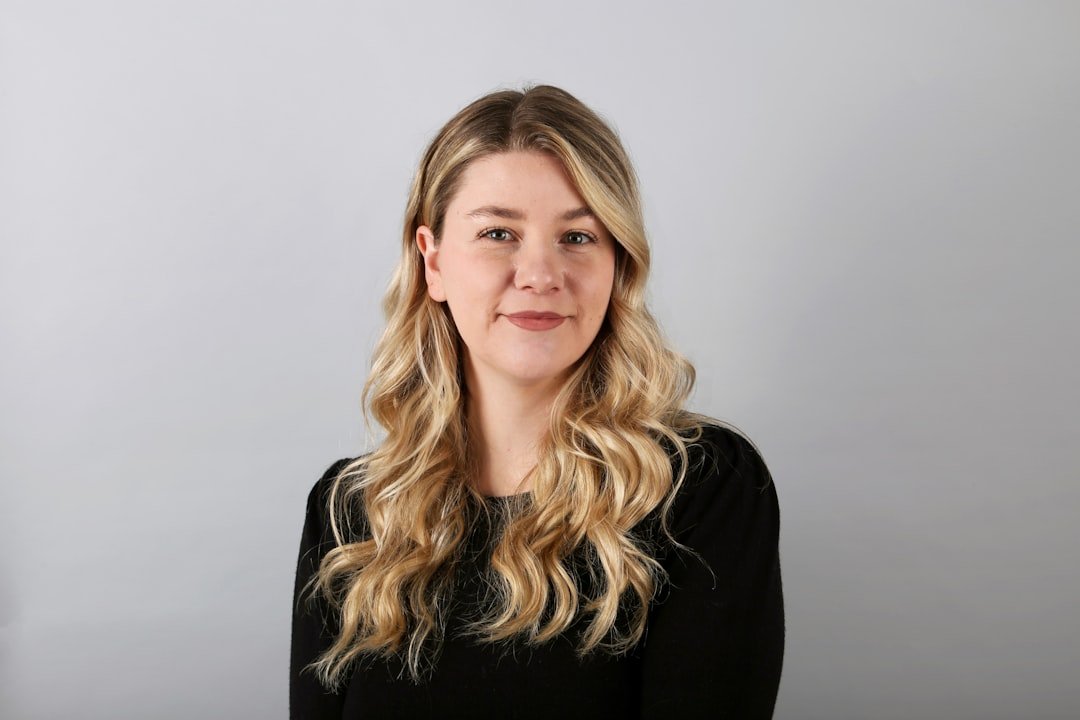
Many people's impression of AI ID photos is still stuck at simple background swapping, but in reality the tools' capabilities in 2026 have fully evolved. At the basic-feature level, intelligent cutout precisely extracts the subject from a complex background, automatically swaps in standard background colors like blue, white, red, and green, and outputs the corresponding pixels and dimensions according to visa or document specs—these are already standard across all the tools.
On the advanced side, AI can optimize facial lighting to brighten shadowed areas, automatically adjust skin tone for a healthier complexion, intelligently adjust hairline edges according to the spec, recognize whether the collar is compliant and prompt a change, automatically fix minor blemishes like acne and dark circles, and generate composite effects of different clothing such as suits and uniforms. Some high-end tools even support generating a front-facing ID photo directly from a casual photo—this "fake-it-till-it-looks-real" ability is backed by the maturity of AI text-to-image models.
2. Evaluation Dimensions and How to Choose
Before a side-by-side comparison, let's first clarify the selection dimensions. First is spec coverage—whether the document types the tool supports are comprehensive enough; the more it covers, from one-inch and two-inch photos to passport, visa, driver's license, and degree-certificate specs, the more worry-free. Second is cutout precision—how cleanly it cuts out hair strands, collars, and complex edges directly affects the result quality. Third is retouching naturalness—over-beautification makes an ID photo lose authenticity and can even get it rejected, so moderate optimization is key. Fourth is output format—some tools compress to low resolution by default, while printing requires a high-definition version. Fifth is privacy and security—ID photos are sensitive information, so you need to check whether the tool processes locally and whether it stores data. Sixth is the price threshold—whether the free quota is enough for daily use, and whether the paid tier is per-photo or monthly.
3. Tool One: Smart ID-Photo Apps
Smart ID-photo apps are the most direct option on mobile. Searching for "ID photo" in the major app stores turns up a batch of tools whose core features are basically similar. Open the app, take a front-facing photo or upload a selfie from your phone album, choose the document spec (one-inch, two-inch, passport, visa, etc.), choose the background color, let the app automatically cut out and swap the background and adjust dimensions, and pay to download the high-definition version.
The advantage of these tools is a simple flow—you can get a result in a minute or two, suited to ordinary people's occasional document needs. The downside is that the retouching ability is relatively basic, a small minority of apps still have room to improve on cutting out hair strands, and they usually charge per photo, so frequent use isn't cheap. On privacy, watch whether the tool uploads the photo to the cloud for processing; for ID-card and passport scenarios, prioritize tools that clearly state local processing.
4. Tool Two: Online Web ID-Photo Generators
If you don't want to install an app, web-based tools are also a good choice. You can usually find a batch by searching "online ID photo" on Baidu or Google—open the web page, upload a photo, let it process automatically, and download the finished product. The advantages are cross-platform, no use of phone storage, and more convenient operation on a PC.
The experience is close to that of apps, and some web tools are even just a different entry point of the same company that makes the app. When choosing, note whether the URL is https-encrypted, whether it requires account registration, and whether it provides a privacy-policy statement. For a one-time temporary use, the free version is basically enough, but downloading the high-definition original usually requires payment, ranging from a few RMB to a few dozen RMB.
5. Tool Three: Using an AI Text-to-Image App to Make ID Photos
A third approach is to write your own prompts in a general AI text-to-image app to generate an ID photo. This sounds indirect but has its own advantage: you can make a "virtual ID photo with no original photo at all," suited to making character cards, virtual-identity displays, social-media avatars, and the like. Of course it can't be used for official document submission—this point must be kept clear.
Lingtu is a representative of this approach. Listed in the China region of the iOS App Store, you can download it by searching "灵图" directly, with no VPN needed. It aggregates a Midjourney-style mood engine, a Flux-style realistic engine, and a Nano Banana-style fast engine, with Chinese interaction and localized prompt support. A common prompt for generating a virtual ID photo is "Asian woman, 25 years old, front-facing, smiling, white shirt, blue background, commercial photography, ultra-clear," and the model outputs an image close to a real ID-photo style in a few seconds, usable for personal home pages, e-commerce customer-service displays, virtual-persona avatars, and other non-official scenarios. Worth a try.
It bears repeating that an ID photo generated by a general AI text-to-image tool cannot be used for official document processing—ID cards, passports, visas, and driver's licenses must use the person's own real photo. The role of AI tools is to supplement visual material for non-official scenarios, not to replace a real photo.
6. Tool Four: Professional Retouching Software Plus AI Plugins
Photoshop plus AI plugins is the option for professional users. PS's built-in Neural Filters already include quite a lot of AI capabilities, from smart cutout and skin-tone adjustment to expression fine-tuning and age modification. Professional users can achieve full control by processing ID photos in PS, adjusting every detail themselves, suited to scenarios with extreme demands on result quality.
Third-party AI plugins such as Topaz Photo AI and Luminar Neo also have portrait-optimization modules, all of decent quality. The downside is that they require a software license and some PS operating experience, with a barrier for beginners. If you're already a PS user, this path has the lowest cost and the most reliable results.
7. Tool Five: ChatGPT 4o and Claude Text-to-Image
ChatGPT 4o's image-generation ability can already make ID-photo-style images in 2026. The way to use it is to upload an original selfie directly in the conversation and tell the model, "Turn this into a blue-background two-inch ID photo, with a natural front-facing expression and a tidy collar," and the model will generate output meeting the requirements based on your description.
The advantage of this approach is that the same conversation window lets you iterate repeatedly—if you feel the hair is wrong, the expression isn't right, or the background color is off, you can just say so and the model immediately adjusts and re-generates. The downside is that what's generated is still an AI-repainted image, with a faint difference from the person's original appearance; it's fine for personal keepsake displays, but for document processing you should still have the person take a real photo and only do light processing like cutout and background swapping.
8. Tool Six: Hardware-Plus-Software Kits
If you frequently need to take ID photos (for example, HR/admin staff, school teachers, or study-abroad agencies), a dedicated hardware-plus-software solution offers better value. A common combination is a computer with a high-definition camera paired with ID-photo capture software that has built-in AI beautification—shoot on the spot and get the finished product directly, for the highest efficiency.
Some all-in-one machine products themselves have built-in ID-photo templates and AI processing—place one in the office and you can produce photos in batches. Prices range from a few hundred to a few thousand RMB, suited to enterprise or institutional use. Ordinary individual users have no need to buy one specially; an occasional app or web tool is enough.
9. Recommended Combinations for Different Scenarios
Let's sort the six tools by scenario and pick out the best pairings. For an ordinary individual processing documents, use a smart ID-photo app or a web tool—a few RMB gets it done once, with a simple flow. A resume needs a more refined photo, so you can use an app for a basic version, then use PS plus AI plugins for fine retouching. For social-media avatars and virtual personas, use an AI text-to-image app like Lingtu to generate directly, with no need for the person to take a photo at all. For batch ID-photo production (such as a class of students or employee files), a hardware-plus-software kit is the most efficient.
Small and medium enterprise HR often needs to process new employees' ID photos, and the recommended combination is shooting with a phone app plus light retouching in PS. For study-abroad agencies or postgraduate-prep institutions, buy a dedicated ID-photo capture all-in-one machine with its accompanying software. For designers making character cards or virtual-character material, an aggregated AI image-generation tool like Lingtu is recommended, with more freedom in how to play with prompts.
10. Easy Pitfalls and Things to Watch Out For
There are a few common pitfalls to avoid in ID-photo processing. First, different documents have different specs—ID cards, passports, visas, driver's licenses, and degree certificates each have different pixel and dimension requirements, so be sure to confirm the spec before processing, or you'll have to redo it when you find the spec is wrong. Second, the background color can't be chosen randomly—the second-generation ID card uses a white background, but some old rules use blue, and the household register and driver's license have their own requirements, so check carefully before swapping.
Third, over-retouching gets you rejected—some documents are reviewed strictly, and obvious beautification marks will get a resubmission demanded. The retouching principle is "look more energetic but still be yourself"—don't slim the face, don't over-smooth the skin. Fourth, a "virtual ID photo" generated by AI text-to-image can't be submitted to official systems; this is a bottom line, don't cross it. Fifth, privacy protection—don't casually upload scans involving ID-card or passport numbers to unknown websites and tools; prioritize apps from big companies or with local processing.
11. Frequently Asked Questions (FAQ)
Are AI ID-photo tools reliable
The processing results of mainstream tools can already meet the vast majority of document-review requirements—this has been verified in practice. But different documents are reviewed with different strictness; for high-strictness official scenarios like ID cards, passports, and visas, it's advisable to manually check after AI processing whether the spec, background color, and expression are fully compliant. For more lenient scenarios like social-media avatars, e-commerce product images, and school-teacher files, AI tools' direct output is usable.
Can an AI-generated ID photo be used for a passport
No. The photos on official documents like passports, visas, and ID cards must be a real image taken of the person—you can't use an entirely AI-generated virtual photo. The reasonable scope for AI tools is post-processing of the person's own real photo, such as cutout and background swapping, lighting adjustment, and fixing minor blemishes. If you submit a purely AI-generated virtual photo, it will be identified in the review process, and in serious cases it may even involve legal risk.
Why are there blemishes at the hair edge when cutting out and swapping the background
Hair-strand cutout is the hardest part of AI cutout. Hair itself is a high-frequency detail, and the edges are often semi-transparent loose strands, so traditional cutout algorithms easily produce jaggedness or miss bits. In 2026, the cutout algorithms of top tools can already handle most scenarios, but dark hair against a dark background, or curly or messy-hair scenarios, may still have blemishes. It's advisable to choose an environment with high contrast against the background when shooting—for example, dark hair against a light-colored wall—so the tool recognizes it more accurately.
Are free tools enough, or do I need to pay
For the vast majority of cases where an individual uses it occasionally, free tools are already enough. The free version usually has a watermark, limited resolution, and limited download counts, but it can fully complete basic cutout and background swapping. The core value of paying is high-definition original export, batch processing, no watermark, and dedicated support. If you process documents fewer than 5 times a year, a one-time "per-photo" purchase is more cost-effective than a monthly membership. If you produce ID photos frequently, a subscription is worth considering.
Can AI ID photos fix expressions
Yes, but with caution. AI retouching tools can recognize expressions and make fine adjustments, such as opening eyes that weren't open, turning the corners of the mouth up slightly into a smile, or adjusting the jaw angle to make the face look more symmetrical. These fine adjustments are fine on personal and social avatars, but be cautious on official documents—if the reviewer spots an obvious change they may demand a retake. The principle is to do only light, "close-to-natural" adjustments and avoid any obvious expression synthesis.
📝 本文来自抖文 www.douwen.me ,转载请保留出处。
原文链接:https://www.douwen.me/archives/1202/
💬 评论 (8)
Great resource.
Solid breakdown, very useful.
Stats really back it up.
Easy to follow.
Loved the FAQ section.
Step-by-step is gold.
Clear and to the point.
Best summary I've read on this.