Notion AI usage tips tutorial, 2026 to automatically organize notes and documents
Notion AI Complete Guide: From "It Stores" to "It Writes, Organizes, and Summarizes"
Notion has already built up a large user base in note-taking and document management, and the addition of Notion AI upgrades this tool from "you write, it stores" to "it helps you write, organize, and summarize." Many people have heard that Notion AI can automatically organize notes, but after opening it they don't know where to start, or they try it a few times, feel the results are mediocre, and give up. This tutorial starts from Notion AI's actual features, explains how to use it in each scenario, and helps you find the usage that truly boosts efficiency, rather than staying at the "gave it a quick try" stage.
1. What Notion AI Can Do: An Overview of Its Capabilities

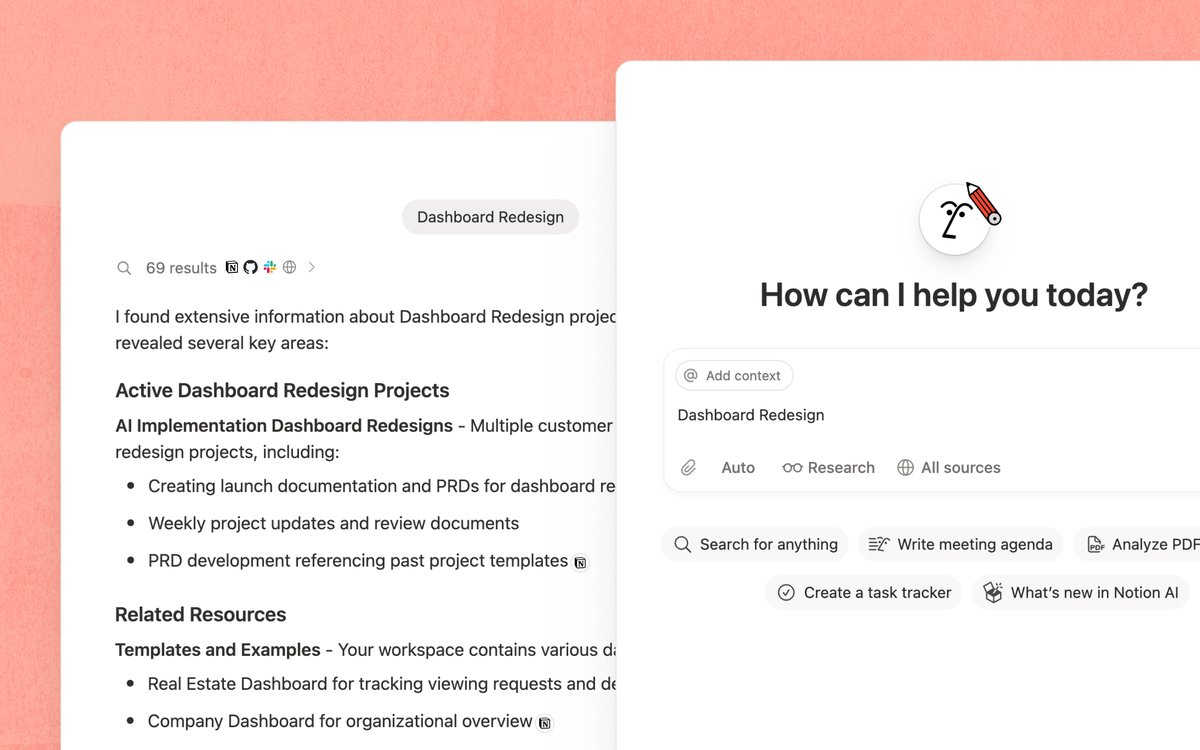
Notion AI is an AI assistant embedded directly in the Notion editor — no need to install extra plugins or switch to another app. Its core capabilities fall into a few categories.
The first category is content generation. You can have Notion AI generate, from a simple description, a draft, an email template, a meeting agenda, or the initial framework of a project plan. The generated content appears directly on your Notion page, and you can continue editing and adjusting it in place, without copying and pasting from somewhere else.
The second category is content processing. For existing text, Notion AI can help you summarize, rewrite, translate, adjust the tone, fix grammar errors, and make an article longer or shorter. These operations are in-place transformations of the selected content, replacing the original or inserting below after the change.
The third category is information extraction. Extract action items, key points, and to-dos from a long passage, or organize a set of meeting notes into structured minutes. This is the feature many people find most practical after using it, because doing this manually is both time-consuming and easy to miss things.
The fourth category is Q&A. You can ask the AI questions about your workspace content directly within Notion, and it searches your notes and documents to answer, rather than giving you a generic internet answer. This feature turns Notion from a storage tool into a knowledge base you can converse with.
2. How to Use AI in Different Block Types

Notion content is made up of various blocks — text paragraphs, headings, lists, tables, code blocks, and so on are all different block types. Notion AI is used slightly differently across block types, and understanding these differences lets you work more smoothly.
In an ordinary text paragraph, put the cursor on an empty line and press the space bar to bring up the AI input box. Here you can enter any instruction, such as "write an introduction about the project background" or "list three potential risks of this plan." The generated content fills directly into the current position.
For existing text content, after selecting a passage you'll see a floating toolbar with an "Ask AI" option. Clicking it lets you choose preset operations like summarize, translate, and rewrite, or enter a custom instruction. This approach suits targeted processing of existing content.
In table and database views, Notion AI can help you auto-fill certain columns. For example, if you have a project tracking table with a "status summary" column, you can have the AI auto-generate a summary for each row based on the other columns' content. This feature is especially useful for maintaining large databases, sparing you the time of hand-writing summaries one by one.
Embedding AI instructions in templates is also an efficient usage. You can create a meeting-notes template with a preset AI block, so each time you create a page from this template, the AI auto-generates structured meeting minutes from the content you fill in — then after each meeting you only need to drop in the raw notes.
3. Using Notion AI for Content Summarization and Information Extraction
Summarization and information extraction are among Notion AI's most frequently used daily scenarios, worth covering separately.
The simplest usage is to select a large passage of text and have the AI summarize it into a few sentences. This is especially handy for handling long meeting notes, reading notes, and research reports. A big pile of notes that took you half an hour to write down, the AI can distill into core points in seconds, and usually without missing important information.
An advanced usage is extracting action items. After selecting a passage of meeting notes, write the instruction "extract all action items from this content, indicating the owner and deadline," and Notion AI generates a structured to-do list. If the original text explicitly mentions who's responsible for what and when it's due, the AI can basically extract it accurately. If the original is vague, the AI's extraction will carry uncertainty too, and you'll need to confirm it manually.
Another practical scenario is turning unstructured content into structured. For example, if you have a piece of raw customer-feedback text that's fairly scattered, you can have the AI "categorize and organize this feedback by problem type, listing the specific feedback under each category." The AI does the initial classification and organization, and you fine-tune from there — far more efficient than classifying manually from scratch.
Note that the quality of the AI's summary directly relates to the clarity of the original text. If the original is logically muddled and severely fragmented, the AI's summary will also be low quality. In that case, spend a few minutes first manually organizing the original's overall structure, then have the AI do detail-level summarization and extraction — the result will be much better.
4. Tips for Translation and Multilingual Scenarios
Notion AI has built-in translation, supporting mutual translation among multiple mainstream languages. For users who need to handle multilingual content, this feature spares the hassle of switching back and forth between Notion and a translation tool.
The usage is straightforward: select the text to translate, choose translate in the AI menu, then specify the target language. The translation result is inserted directly below the original, so you can compare and adjust as needed. For short-text translation, the quality is usually good and sufficient for daily use.
A practical workflow is combining translation with templates. For example, if your team needs to maintain product documentation bilingually in Chinese and English, you can create a bilingual document template, with the Chinese content area on top and the English translation area below. Each time you update the Chinese content, select the changed paragraph and have the AI translate it, then replace the corresponding English paragraph. It's not fully automated, but it's far smoother than translating by hand or switching to an external translation tool.
Note that Notion AI's translation feature suits internal documents and work-communication-level translation needs. For scenarios with high translation-quality requirements — externally published formal copy, legal documents, marketing material — the AI translation result still needs review by a professional. Machine translation still lags human translation in handling cultural context, industry terminology, and subtle tone, so treating it as a draft-assistance tool rather than a final-output tool is the more reasonable positioning.
5. How It Differs From Using ChatGPT Directly
Many people ask, isn't pasting text into ChatGPT to process the same thing — why use Notion AI? The question is reasonable; the two do overlap in core capability, but the usage experience and applicable scenarios differ clearly.
The biggest difference is workflow continuity. To process Notion content with ChatGPT, you need to copy the text, switch to ChatGPT, paste, enter an instruction, wait for the result, copy it back to Notion, find the original spot, and paste. The whole process is at least seven or eight steps, and your attention is interrupted by switching apps. Notion AI's operation is done in place — select the text, choose the operation, the result appears right in the document — done in two or three steps.
The second difference is context. Notion AI can access other pages and databases in your workspace, referencing your existing notes when answering questions. ChatGPT can only process the text you paste in that one time, with no awareness of your knowledge system. If you've accumulated a lot of work notes and documents in Notion, this advantage of Notion AI becomes more pronounced as your content volume grows.
The third difference is the atomicity of operations. Notion AI's operations target specific blocks — once edited, it's edited, and you can undo if unsatisfied. ChatGPT gives you a passage of text, and you still have to judge which part of the original to replace. For frequent small edits, Notion AI's efficiency advantage is large.
Of course, ChatGPT also has things Notion AI can't match. ChatGPT's model capability is more comprehensive, able to handle more complex reasoning and creative tasks, with higher conversational flexibility, and not limited to document scenarios. If you need to discuss a complex problem in depth, brainstorm creatively, or handle tasks unrelated to documents, ChatGPT is more suitable. The two tools each have their strengths, and the ideal approach is to choose the right tool for the specific task, rather than using only one.
6. Practical Advice for Workflow Integration
Notion AI's value is already good when used standalone, but the way to truly unlock its maximum potential is to integrate it into your daily workflow.
The first piece of advice is to add AI to your daily-review process. If you're used to writing a work log or daily notes in Notion each day, at the end of the day you can have the AI extract from all the day's notes the items to follow up on tomorrow. This is faster than flipping through the day's notes yourself, and less likely to miss things.
The second piece of advice is to use AI to help maintain your knowledge base. Many people build a knowledge base in Notion, organizing and categorizing carefully at first, but over time it turns into a dumping ground for information. You can periodically select a batch of recently added notes and have the AI tag them, categorize them, or generate an index summary. This keeps the knowledge base's searchability at a fairly good level.
The third piece of advice is to use AI in team collaboration to lower communication costs. For example, a product manager writes a very long requirements document, and the development team doesn't necessarily have time to read it in full. You can use Notion AI to generate a developer-facing technical summary at the start of the document, so dev colleagues can read the summary first to quickly judge the requirement's complexity and workload.
The fourth piece of advice is to use AI to assist analysis during project retrospectives. Gather the various documents from the project process — plans, weekly reports, issue records, feedback — onto one page, and have the AI do a comprehensive retrospective summary, distilling what was done well, what was done poorly, and what improvements to make. The AI's perspective isn't entirely accurate, but it can help you quickly build an initial framework, on which you then add your own judgment.
The fifth piece of advice is to bring external AI conversations into the Notion knowledge system too. The content from your daily ChatGPT, Claude, and Gemini conversations — discussing solutions, debugging, doing research — is actually high-quality note material, but by default these conversations are scattered across various web pages, inconvenient to search or archive. A fairly handy approach is to install a Chrome extension called Save AI, which supports exporting conversations from a dozen-plus mainstream AI sites — ChatGPT, Claude, Gemini, and others — to Markdown, PDF, Word, long-image, and other formats with one click. The exported Markdown can be pasted directly into a Notion page with the formatting basically preserved, then have Notion AI summarize and tag it, and that conversation becomes a workspace asset retrievable via Q&A. The whole process is done locally, the data isn't uploaded to the cloud, and it's reassuring even for content involving sensitive discussions.
7. Notion AI's Limitations and Caveats
Like all AI products, Notion AI has things it doesn't do well and boundaries to watch.
First is accuracy. The content Notion AI generates and processes isn't always correct. It may miss key details when summarizing, change the original meaning when rewriting, or include inaccurate information when generating content. For important documents, the AI's output must pass human review before use. Treating the AI as a first-draft assistant rather than a final-draft tool is the basic principle for avoiding mistakes.
Second is cost. Notion AI is a paid add-on for Notion, requiring extra payment on top of your existing Notion subscription. Go by Notion's official page for exact pricing. If you don't use it often, this extra fee may not be worthwhile, so you can use the free trial quota to try it before deciding.
Third are privacy considerations. Your Notion content is sent to the AI model for processing. For content containing sensitive business information or personal privacy data, you need to assess before using the AI feature whether it complies with your organization's data-security policy. Notion has relevant explanations in its privacy terms, and we recommend reading them carefully.
Fourth, it can't trigger automatically. Currently most Notion AI features require you to trigger them manually; it won't proactively organize your notes or remind you what to do. Its degree of automation lags behind some specialized AI automation tools. If what you need is "AI automatically organizes the emails in my inbox every day and files them into Notion by category," Notion AI can't do this fully automated flow yet — you need to pair it with automation tools like Zapier.
Finally is the output-length limit. The length of content Notion AI generates in one go has an upper limit, so for especially long documents it can't generate or process everything at once. For long documents you need to work in segments, processing one part at a time.
Frequently Asked Questions (FAQ)
Does Notion AI require an extra fee?
Yes. Notion AI is a paid add-on for Notion, enabled on top of your existing Notion Personal or Team subscription. Go by Notion's official page for exact pricing and billing, which may change with policy. Notion usually offers a certain number of free trial uses, so we recommend trying it before deciding whether to pay.
Should I choose Notion AI or ChatGPT?
It's not an either-or choice; the two have different applicable scenarios. If your main need is document-related operations within Notion — summarizing, rewriting, translating, extracting action items — Notion AI is more convenient because it doesn't require copying and pasting back and forth. If you need to do complex reasoning discussions, creative divergence, or handle tasks unrelated to documents, ChatGPT's capability is more comprehensive. Many people use both, choosing the right tool for the specific task.
Can Notion AI automatically organize my notes?
Not fully automatically. Currently Notion AI's features require you to trigger them manually, such as selecting a passage for it to summarize, or invoking the AI on an empty line to have it generate content. It won't proactively scan your workspace and file things for you. But you can set up a manually triggered organizing routine — for example, spend a dozen minutes each week having the AI do a batch summarization and classification of recent notes, which is already far more efficient than organizing purely by hand.
Is the content processed by Notion AI secure?
When Notion AI processes your content, the data is sent to the AI model's server. Notion has an explanation in its privacy policy about how the AI feature handles data, which we recommend reading carefully. For content containing highly sensitive information — undisclosed business data, personally identifiable information, legal documents — you need to assess the risk before use. If your organization has strict data-compliance requirements, we recommend confirming with the information-security team first.
Does Notion AI support Chinese?
Yes. Notion AI can process Chinese content, including giving instructions in Chinese and summarizing, rewriting, and translating Chinese text. The quality of Chinese processing is overall usable, and the summarization and rewriting effect in daily office scenarios is good. Chinese-English mutual translation is also a commonly used feature. That said, compared with English, Chinese performance may differ slightly in certain niche scenarios — for example its grasp of Chinese-specific expressions and tone isn't as natural as English — but it's already sufficient for most users.
📝 本文来自抖文 www.douwen.me ,转载请保留出处。
原文链接:https://www.douwen.me/archives/1164/
💬 评论 (7)
Practical tips not fluff.
Loved the FAQ section.
Great resource.
Solid breakdown, very useful.
Bookmarked for reference.
Sharing this with my team.
Stats really back it up.