Complete tutorial on ChatGPT 4o image generation, 2026 from Ghibli style to ID photo practice
🇨🇳 阅读中文版ChatGPT 4o Image Generation: The Complete 2026 Guide
ChatGPT 4o image generation is one of the hottest practical features of 2026. Compared with the early DALL-E 3 era, today's 4o model can produce images right inside the chat window, understand context, make edits across multiple turns, and even read reference images. An ordinary user who knows how to write a prompt can use ChatGPT 4o to handle posters, avatars, illustrations, ID photos, product shots, and concept sketches.
This article rounds up the latest techniques as of May 2026. It covers subscription requirements, how to write basic prompts, ready-to-use prompts for eight mainstream styles, troubleshooting for common errors, and the copyright questions around commercial use. Read it once and you'll be generating images right away, with no need to go learn Midjourney or Stable Diffusion separately.
The Subscription Threshold for ChatGPT 4o Image Generation
Free users can generate two images per day. This is the policy after OpenAI's adjustment in April 2026. The generation quality is not reduced, but resolution is capped at 1024 x 1024. Plus users, at $20 per month, get unlimited generation at resolutions up to 1792 x 1024 or 1024 x 1792. Pro users, at $200 per month, additionally get priority queuing and Sora video generation credits.
If you only make the occasional avatar, the free version is more than enough. If you do content creation, you should definitely subscribe to Plus. Being able to generate hundreds of images a day already exceeds the quota of Midjourney's Basic plan, so the value for money is clear.
Step One: Choose the Right Entry Point and Model
Select GPT-4o at the top of the ChatGPT chat window. This is the default multimodal model in 2026, with built-in image generation. Don't pick 4o-mini, which doesn't support image output. Plus users can also choose GPT-4.5, but its image generation is roughly on par with 4o.
The simplest way to issue an image command is to just describe what you want in English or Chinese. For example, send a line like "draw an orange cat leaping under the moonlight, Studio Ghibli style." ChatGPT will automatically call the DALL-E backend model to generate it. An image typically comes back in 30 to 60 seconds. After generation, hover over the image and right-click to download the original.
The Five Elements of a Good Prompt
A complete prompt contains five elements. What the subject is, for example a person, animal, object, or scene. What the style is: Ghibli, realistic photography, flat illustration, 3D rendering, pixel art. The lighting conditions: backlight, morning light, neon, overcast, studio lighting. The composition: close-up, full body, top-down, side profile, wide angle. And finally the mood words: warm, lonely, energetic, serene.
Here's a complete example. "A 30-year-old female programmer sitting in front of a Mac typing, golden side lighting from a setting sun, half-body composition, realistic photography style, soft atmosphere, with an abstract circuit-board bokeh background." This kind of five-element prompt produces consistent results. It's three notches higher in quality than simply writing "draw a programmer."
How to Get the Most Accurate Ghibli-Style Portraits
In March 2025, ChatGPT unlocked the Ghibli style and the whole internet went wild. As of May 2026, this technique is still popular. The trick to getting it right is to add "Studio Ghibli style, hand-drawn animation, soft watercolor background" to your prompt. Adding "warm color palette, gentle expression" will make the character's expression softer.
If you want to reproduce a specific Miyazaki film's style, you can specify "Princess Mononoke style" or "Spirited Away style." The former leans toward a deep-green forest atmosphere, the latter toward a hot-spring town feel. Writing "Miyazaki style" in Chinese is also recognized but the result is slightly worse, so using English terms is recommended.
Realistic ID and Identity Photos
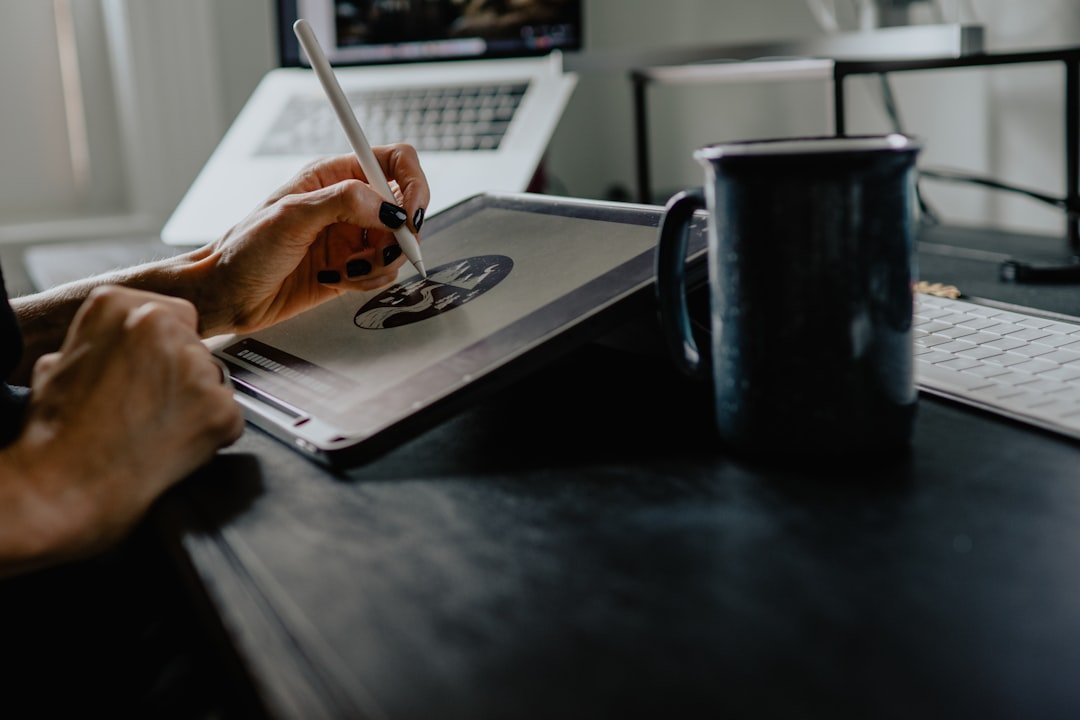
By 2026, ChatGPT 4o can already produce ID photos usable as social-platform avatars. Write a prompt like "professional headshot of an asian woman in her late 20s, plain white background, soft studio lighting, business casual attire, looking directly at camera, photorealistic." The output basically meets LinkedIn headshot standards.
Note that OpenAI restricts directly generating photos of "specific real people." For example, writing "draw an ID photo of Liu Yifei" will be refused. But you can describe "a long-haired Asian woman, 25 years old, gentle demeanor" to indirectly achieve a similar style. OpenAI keeps tightening this boundary, and since March 2026 it has been stricter about imitating celebrities.
Poster and Marketing Image Examples
For event posters, use "poster design, central headline area reserved blank, vivid gradient background, modern sans-serif vibe, top-down layout." Explicitly spelling out "leave the center blank for the headline" is the only way the model knows to leave room for text. Otherwise it will fill that space with garbled lettering on its own.
For e-commerce product shots you can write "product photography of a coffee mug on marble surface, soft window light from left, depth of field, minimal style." Images structured this way can go straight onto a Shopify product page. After generation, it's recommended to erase any blurry text portions in Photoshop before using the image.
Hidden Tricks for Multi-Turn Editing
ChatGPT 4o's strongest capability is multi-turn editing. After generating the first image, you can simply say "change the background to a seaside sunset" or "put the character in a red jacket." The model edits based on the previous image and keeps the character's face consistent. This is a Midjourney weakness, because MJ has no conversational context.
But be aware that if you change too much at once, the new image may "swap faces." The trick is to keep each change to one element or fewer. For example, change the background first, confirm you're happy, then change the clothing. If you change three things at once, it will almost certainly drift off.
Limitations and Copyright for Commercial Use
The copyright of images generated by ChatGPT 4o belongs to the user and they can be used commercially. OpenAI states this clearly in its Terms. However, Plus users' images may be used by OpenAI for model training unless you turn off the "Improve the model for everyone" toggle in settings.
Content you should not generate includes unauthorized real celebrities, specific faces of minors, politically sensitive figures, violence and gore, and sexual content. The model has a built-in Safety Filter and will refuse outright for violations. Repeated triggers can lead to warnings or even account bans.
Common Errors and Troubleshooting
The error "I can't help with that request" usually means you triggered content moderation. Rephrase to avoid sensitive words, for example change "nude" to "wearing light-colored clothing." The error "unable to generate" means the backend is busy; wait a few minutes and retry. If you get errors all day, your daily quota is used up, and free users only have two images per day.
Inconsistent image quality is normal. Running the same prompt five times can yield five different results. Retrying a couple of times will usually get you a satisfactory version. It's recommended to download and archive each image immediately after generation, because refreshing the conversation can lose it.
Choosing Between This and Midjourney or Stable Diffusion
If you only care about the upper ceiling of image quality, Midjourney V7 is still number one. Its detail, lighting, and artistic feel are half a notch above ChatGPT 4o. But you have to log into Discord, learn the parameters, and wait in a queue, so the barrier is higher.
ChatGPT 4o's advantage lies in ease of use and conversational editing. You write a prompt in one sentence and tweak details in another, and it naturally pairs with writing copy. It suits content creators, independent media, e-commerce operators, and product managers in their daily work. Professional illustrators still use MJ or SD; for everyday users, 4o is enough.
Advanced Techniques and Reference-Image Tips
In 2026, ChatGPT 4o supports uploading a reference image as the basis for generation. You can upload a portrait photo and say "generate a Ghibli-style version based on this face," and the output will retain the facial features while taking on an animated quality. This is the most convenient way to make stylized avatars for friends and family.
You can also upload a scene reference. For example, upload a photo of your living room and say "generate a Nordic-style interior design based on this layout," which can provide visual inspiration for a renovation. Architects and product managers see clear efficiency gains from this reference-image workflow.
An advanced technique is stacking multiple references. First generate a base image, then upload a second image and say "change the lighting to the neon night scene from reference image two." Stacking across multiple turns lets you gradually close in on the picture in your head, which is more controllable than trying to write one perfect prompt all at once.
Frequently Asked Questions (FAQ)
How many images can the free version of ChatGPT 4o generate?
Since May 2026, free users can generate 2 images per day. This quota resets within a 24-hour rolling window. The Plus subscription at $20 per month allows unlimited generation. If you only generate images occasionally, the free version is enough, but for steady needs we recommend subscribing to Plus.
Can the generated images be used commercially?
Yes. OpenAI's Terms of Use clearly state that users own the generated images and have the right to use them commercially. But make sure your prompts don't infringe third-party copyrights, for example don't generate Disney characters or existing brand logos. Also note that under the Plus plan images may be used for model training, which you can turn off in settings.
How can I keep characters consistent across generated images?
The most effective method is to iterate across multiple turns within the same conversation. Once the first image is satisfactory, change only one element at a time, such as "change the background" or "change the outfit." Don't start a new conversation and re-describe the character, as that will almost certainly swap the face. You can also upload a reference image to have the model edit based on the reference face.
Do prompts work better in Chinese or English?
English is slightly better. OpenAI's training data is predominantly English, so it understands English style terms more precisely. Chinese works too, but the model's understanding of some detail words like "cyberpunk" is fuzzier. We recommend writing core style words in English and mixing in Chinese for the subject description. This kind of mixed Chinese-English prompt produces the most stable results.
Why is the text in generated images always garbled?
ChatGPT 4o is still unstable at rendering text within images. This is an underlying model issue, not a matter of how you write the prompt. The best strategy is to have the AI generate purely visual material and add text afterward in Photoshop or Figma. If you absolutely must have the AI render text, write something like "large clear English word 'SALE' in bold red" — short English words have a higher success rate.
📝 This article is from DouWen www.douwen.me . Please retain the source when reposting.
Original link: https://www.douwen.me/archives/989/
💬 Comments (6)
Stats really back it up.
Practical tips not fluff.
Step-by-step is gold.
Thanks for the detailed comparison.
Solid breakdown, very useful.
Sharing this with my team.