Inventory of AI schedule and time management tools, 6 tested recommendations for curing procrastination in 2026
🇨🇳 阅读中文版Inventory of AI schedule and time management tools, 6 tested recommendations for curing procrastination in 2026
Every year at the beginning of the year, there are always people who set goals to manage their time well, but their calendars are abandoned after a few days, and their to-do list gets longer and longer, but no one wants to click on it. Procrastinating is not because you don't work hard enough, but because traditional tools put the burden of planning entirely on people. You have to estimate the time, arrange the order by yourself, and remind yourself. If you are a little busy, everything will be messed up. In the past two years, AI has slowly penetrated into the field of time management. What it can do is actually very simple, which is to take over those mechanical and brain-consuming arrangements and let you just do things. This article takes stock of six products worth trying based on the public capabilities of real tools, and talks about how to choose based on your own identity. The price part is always subject to the official public page. Here we only talk about ideas and functions.
How does AI help people manage time?

Many people's imagination of AI managing time is limited to automatic reminders. In fact, that is only the shallowest level. The core of a truly useful AI time tool is to change planning from passive recording to active arrangement. In the past, you manually dragged a meeting block on the calendar, but now it can read a sentence you wrote, determine which day and time it should be placed, and avoid your existing arrangements. It will observe your past habits and know that you are clear-headed in the morning and suitable for difficult tasks, and that you are easily distracted in the afternoon and suitable for handling chores, and then put the tasks into the appropriate window accordingly. This arrangement is not a rigid rule, but will be dynamically adjusted as you change every day. When a meeting is temporarily moved, all subsequent affected tasks will also be rescheduled, so you don't have to manually change them one by one. In other words, AI makes the implicit priorities and energy curves in your mind explicit, helping you make the most tiring decisions.
Which dimensions should you look at when choosing an AI time tool?

Whether the tool is easy to use or not cannot be judged by just the word AI in the propaganda. The first thing to look at is whether its core is a calendar or a to-do, because this determines whether you open it daily to check time or to check things. The second point is to look at the accuracy of natural language understanding. If you just type a sentence and chat with a customer for half an hour tomorrow afternoon, whether it can correctly identify the time length and items will directly affect whether you are willing to continue using it. The third thing is to look at its connection with your existing tools. If it cannot read your Google calendar or collaboration software for work, then it will be an information island, which will increase the burden. The fourth is the flexibility of intelligent scheduling. Some tools will only fill in the blanks mechanically, while others can give you several options for you to choose from in case of conflict. Finally, don’t ignore the ability to focus and review. A good tool will not only help you make plans, but will also tell you where you spent your time afterwards. It is more effective to compare these items with your own actual scenarios than to blindly chase new ones.
Intelligent scheduling allows plans to grow on their own
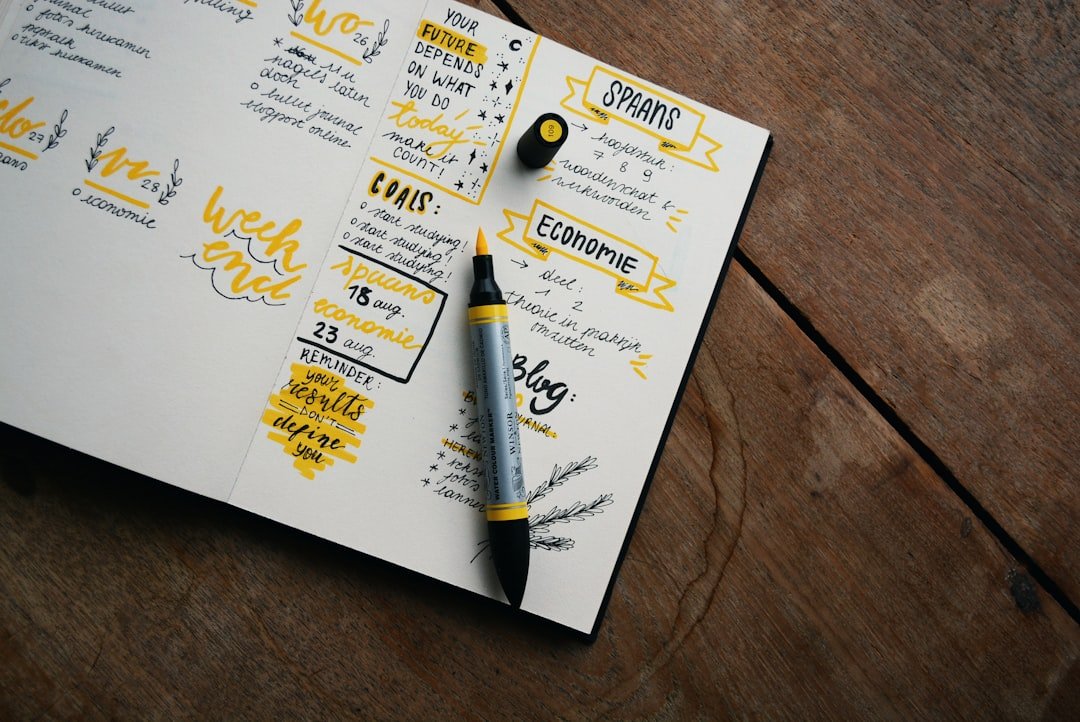
Intelligent scheduling is the key feature that distinguishes this generation of AI time tools from traditional calendars. A traditional calendar is a blank canvas, and you have to fill in all the boxes yourself. Intelligent scheduling, on the other hand, you only need to tell it what tasks there are, how long each task will take, and when they must be completed before, and the algorithm will do the rest. It will comprehensively consider your fixed schedule, remaining slots, and the urgency of the task, and automatically fit these tasks into the gaps in the next few days. A smarter approach is to automatically postpone the plan when reality disrupts it. For example, if you were temporarily pulled into a meeting today and the two tasks you were supposed to do were left untouched, the system will reschedule them the next day without the need for you to re-plan. This capability changes the plan from a static table that requires constant maintenance to a dynamic system that can repair itself. For those who don't care about adjusting their calendar when they get busy, this kind of automatic bottom-up is the key to persisting.
Use natural language to build schedules, turning words into actions
An invisible threshold that makes people give up on time management tools is that entry is too cumbersome. Click on the application, create a new event, select the date, adjust the time, and fill in the title. It takes seven or eight steps. I feel tired before I even start planning. Natural language scheduling compresses this process into one sentence. You directly write down the docking requirements with the design department at 10 a.m. on Wednesday, and the tool can parse out the date, time, duration, participants, and item titles, and automatically generate a complete schedule. It can understand relative times, such as tomorrow, next weekend, and three days from now, and can also handle vague expressions and give reasonable guesses. This function seems to only save a few steps, but its actual significance is to greatly reduce the resistance to use. When the cost of recording something is close to zero, you will really be willing to pour everything in your mind into the system instead of just relying on memory. The more complete the information in the system, the more accurate the subsequent intelligent scheduling will be. This is a positive cycle.
Break down tasks and turn scary big things into doable little things
Procrastination is often not due to laziness, but because something seems too big and I don’t know where to start, so I just leave it alone. The role of AI in task decomposition is to help you cut a vague big goal into a series of small steps that are specific enough to be started immediately. If you write down and prepare a quarterly report, it can prompt you to divide it into several stages of collecting data, organizing conclusions, making slides, and rehearsing based on common practices in public information. You can also estimate the approximate duration of each step and then schedule it on the calendar. The value of this kind of dismantling lies not only in clarity, but also in psychological relaxation. When there is no longer a mountain but steps in front of you, the resistance to starting will be much smaller. It should be reminded that the disassembly provided by AI is only a reference frame. The specific granularity has to be adjusted by you according to the actual complexity of the matter. It is impossible for it to completely understand the ins and outs of everything for you.
Focus mode, keep that uninterrupted time
Having a plan is just the beginning. The really difficult thing is to sit down and finish the work without interruption. Many AI time tools have built-in focus-related capabilities. A common approach is to automatically block notifications during the focus period you set, or mark this period of time as uninterruptible on the calendar to let colleagues and collaboration software know that you are busy. Some tools will combine the Pomodoro rhythm to cut a large chunk of time into short segments that alternate between focus and rest to help you maintain your focus. Others will generate a time report after the fact, telling you how many hours were actually spent on really important things this week and how many were eaten up by fragmentary interruptions. This kind of review is more valuable than a simple plan, because it turns the abstract sense of time into concrete numbers, so that you can see clearly where you missed time. The underlying logic of the focus function is very simple, which is to block external interference for you and change self-discipline from relying on willpower to relying on the natural constraints of the environment.
Calendar recommendations, from one sentence to a full schedule
In terms of calendaring, Reclaim is one that is often mentioned. Its feature is that it will automatically arrange your tasks and habits into the slots of Google Calendar. When there are conflicts, it can also intelligently give way and move flexible tasks elsewhere. It's suitable for people whose schedules are filled with meetings and who want to carve out a whole chunk of time for in-depth work. Another Motion focuses on using AI to manage calendars and tasks in a unified manner. It will automatically generate a daily schedule based on deadlines and priorities, and rearrange it in real time when the situation changes. Its public capabilities emphasize that you no longer have to manually plan every day. Both models are geared towards heavy users and are suitable for workplace scenarios with many tasks and frequent changes. Their common idea is to upgrade the calendar from a passive recording tool to an assistant that actively makes arrangements for you. For specific functional boundaries and pricing, it is recommended to directly check the official public page to confirm, because this type of product iterates quickly and the actual experience varies from person to person. It is best to try the free version for a while before making a decision.
To-do recommendations, let the list think about the next step for you
If your work revolves around tasks rather than meetings, then a to-do tool may be more convenient. Todoist is a product with a long history and high acceptance in this category. It supports natural language input. If you type a sentence to submit a weekly report every Monday morning, it will recognize it as a task with repeated rules. In recent years, it has also gradually added intelligent auxiliary capabilities. Its advantages are that it is light, fast, and has stable cross-platform synchronization. It is suitable for people who want a clean list but do not want to be overwhelmed by complex functions. Another way of thinking is a tool like TickTick that combines to-do and calendar. You can manage tasks and see time distribution, and it also comes with focused timing. The key to choosing a to-do tool is whether it can allow you to get things out of your mind at a low cost and push the right tasks to you at the right time. The purpose of a list is never to keep a complete record, but to help you know clearly at each moment what is the most important thing to do next.
Recommended all-in-one focus and note-taking schedule
There is also a type of tool that does not limit itself to calendars or to-dos, but wants to be a unified workbench. Notion is a representative in this regard. It is essentially a highly free information container in which you can create to-do boards, calendar views, and project notes at the same time. In recent years, it has also been integrated with AI writing and organizing capabilities, which can help you summarize content and generate lists. Its strength is flexibility, but its weakness is also flexibility, because you have to set up everything by yourself, and you have to spend some effort in the early stage to get started. For those who need to remember ideas and manage progress, and are unwilling to jump back and forth between multiple applications, this integrated solution is very worry-free. In terms of focus, tools like Forest, which rely on a tree-planting mechanism to help people put down their mobile phones, take a different approach. It does not do complex scheduling and only focuses on solving the pain point of you not being able to control your mobile phone. The advantage of putting notes, tasks, and calendars in one place is that the information is no longer fragmented, and you can directly see the background information when planning. This sense of coherence cannot be given by a single-function tool.
According to status, students have their own solutions to freelancing in the workplace.
There are no absolute good or bad tools, only whether they are suitable or not, and whether they are suitable or not depends largely on who you are. Students have relatively regular schedules and fixed class schedules. The main contradiction is the arrangement of homework deadlines and exam review. In this case, a to-do tool that supports natural language input and can set repeated reminders is often enough, without the need for heavy-duty intelligent scheduling. The pain points for people in the workplace are too many meetings, many passive tasks, and tasks that can be queued at any time. At this time, tools like Reclaim or Motion that can automatically rearrange and grab focus blocks in the calendar are more valuable. Freelancers are faced with multiple projects running in parallel, and income is directly linked to time. They need to know clearly which project each time is spent on, and tools with time tracking and review reports will be more appropriate. Matching tools by identity is essentially to first figure out where your biggest time hole is, and then look for products that are specifically designed to fill that hole, rather than just using whichever one has more functions.
Tools are just auxiliary, what really works is habits
After talking about so many AI functions, I have to tell the truth in the end. No matter how smart the tool is, it cannot cure a person who is unwilling to turn it on. AI can help you organize your plans in an orderly manner and can help you when you are distracted, but it cannot sit down and do it for you, nor can it help you develop the habit of looking at your schedule every day. Many people change tools one after another, but the problem is never solved. The root cause is often not in the tools, but in the failure to establish a rhythm of their own. A more pragmatic approach is to first choose a tool with a low threshold and force yourself to use it for two or three weeks, so that viewing and recording becomes an instinctive action like brushing your teeth. On this basis, you can then use those advanced functions of intelligent scheduling and automatic rearrangement, and the effect will be apparent. The tool is leverage, but you must first have a fulcrum, and that fulcrum is tiny persistence day after day. Once you think about it clearly, it won't be that important which one you choose.
FAQ
Can AI time management tools really cure procrastination?
It can significantly lower the threshold for procrastination, but it cannot completely solve the problem for you. AI is good at helping you break down large tasks, automatically schedule them, and remind you when you are distracted, which directly correspond to common triggers of procrastination. But in the end, whether you are willing to do things by hand still depends on whether you have established a usage habit. Treat tools as auxiliary rather than life-saving straw, and the effect will be more real.
Is the free version enough? Is it necessary to pay?
For most light users, the free version of mainstream tools usually covers basic recording, reminders and simple scheduling, so you can run the free version for a while first. Whether you pay or not depends on whether you really need advanced capabilities such as intelligent rearrangement, cross-tool synchronization, and detailed review reports. The specific differences between each file are subject to the official public page. It is recommended to try first before making a decision.
I’m already using Google Calendar, do I need special AI tools?
If you just record meetings and reminders, Google Calendar itself is enough. But if you are often troubled by multiple tasks and frequent changes, and need the system to help you automatically arrange and rearrange, then an AI tool that can read Google Calendar can supplement the planning capabilities on the original basis without having to abandon the calendar you are accustomed to. The two can usually be connected and used together.
What kind of tools are suitable for student parties?
Students' schedules are relatively regular and they mainly manage homework and exams. Usually a lightweight to-do tool that supports natural language input and can set repeated reminders is enough. It is not necessary to use complex smart scheduling products from the beginning. It is more important to develop the habit of recording and checking every day. Wait until your needs become more complex before you consider upgrading.
Will private data be collected when using these tools?
Different products process data differently. According to public information, mainstream tools usually describe the use and storage method of data in their privacy policies. If you are more concerned about it, it is recommended to read the privacy terms carefully before registering and pay attention to whether it will read your calendar content and whether it will be used for training. The specific policies are subject to the official public pages of each company.
📝 This article is from DouWen www.douwen.me . Please retain the source when reposting.
Original link: https://www.douwen.me/archives/1350/
💬 Comments (7)
Solid breakdown, very useful.
Loved the FAQ section.
Great resource.
Step-by-step is gold.
Thanks for the detailed comparison.
Sharing this with my team.
Easy to follow.