A complete tutorial on learning programming with AI from scratch, 6 steps from not being able to understand the code to being able to fix bugs in 2026
🇨🇳 阅读中文版A complete tutorial on learning programming with AI from scratch, 6 steps from not being able to understand the code to being able to fix bugs in 2026
Many people want to learn programming, but are dissuaded by a bunch of unfamiliar symbols when they turn the first page of the tutorial. In the past, the most difficult part of self-taught programming was not writing code, but that no one asked when I got stuck. An error message can make beginners sit up all night. The answers in the search engine are either too profound or inconsistent with their own situation. Things are different now. AI has become a personal assistant who is always online and will not find your questions naive. You can ask the same concept repeatedly until you really understand it. This article will outline a clear path for you who have no basic knowledge: from not being able to understand the code at all, to being able to independently understand other people's programs, locate and fix a real bug. The whole process is broken down into six steps, and each step tells you what you should let the AI do and what you must do yourself.
How has AI changed learning to program?

The traditional way to learn programming is to read books, watch videos, copy examples, and when you encounter problems, post on forums and wait for replies. The biggest problem with this path is that feedback is too slow, and programming is a craft that requires immediate feedback. The AI compresses this loop into seconds. If you write a piece of code that doesn't work, you can directly paste the code and error report to it, and it will point out which line the problem is, why it is wrong, and how to correct it. More importantly, it can explain it in words you can understand. If you say "I have zero basic knowledge", it will change it to a simpler way of saying it. This kind of feature of being on call and being able to ask unlimited questions is something that no learning resources in the past could provide. However, a reminder is that what AI changes is learning efficiency, not learning itself. It can help you avoid detours, but you still have to type out the core abilities of code understanding and logical thinking line by line.
Think clearly about which language and direction to learn first
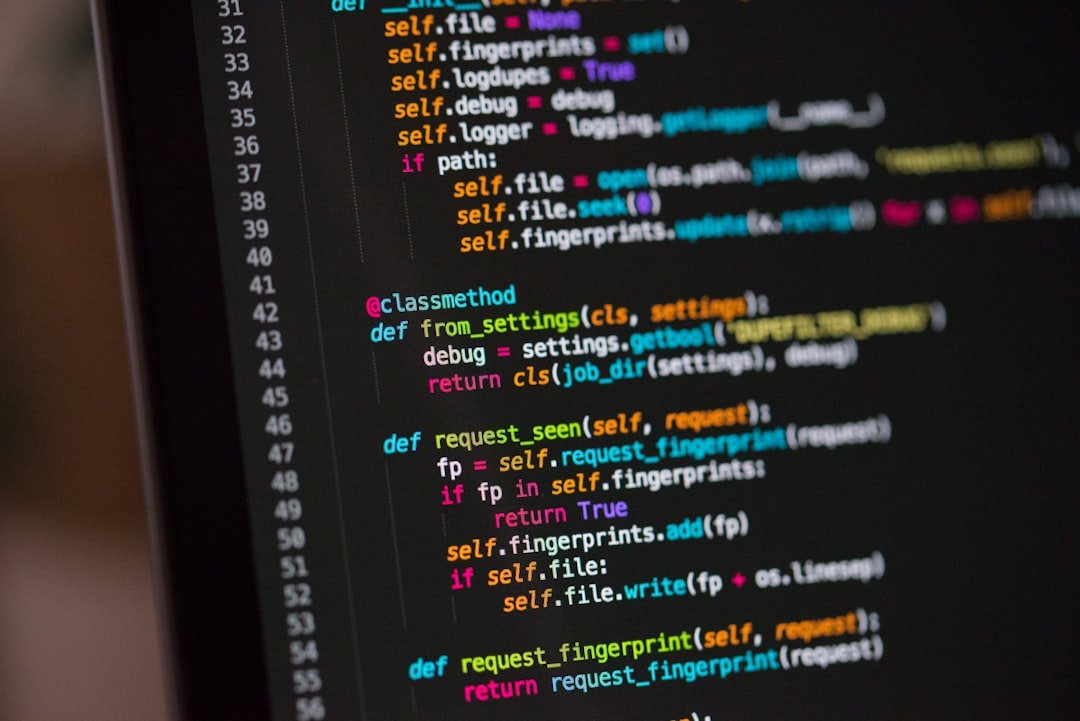
The easiest thing to get into when starting from scratch is choosing a language. In fact, for novices, which language to choose is far less important than imagined. The key is not to spend too long on the choice. If you want to make web pages or just want to get started quickly, Python is usually the most recommended entry-level language. The syntax is close to natural English and is suitable for building confidence. If your goal is to build a website front-end, JavaScript cannot be avoided. If you want to make mobile applications or engage in data analysis, the language will be different depending on the direction. It is recommended that you tell the AI your goals, such as "I want to make a small accounting tool", let it recommend directions and corresponding languages according to your specific needs, and then let it give a rough learning sequence. Setting a small and specific goal first is easier to stick to than thinking about a grand goal like "I want to become a programmer." Once the direction is set, don't switch frequently. Novices are most taboo about learning this today and learning that tomorrow.
Step 1: Let AI teach you the concept until you can repeat it

To learn anything, you must first establish a conceptual foundation. What is a variable, what is a loop, and what is a function? If you don't understand these abstract words at the beginning, it will become more and more difficult later. What you have to do in this step is to have the AI explain each new concept in vernacular and with life analogies. For example, ask it "Use the example of a express delivery cabinet to explain what a variable is." After listening, don't rush forward. Try repeating it to the AI in your own words and let it judge whether you understand it correctly. This process of lecture and retelling is much better than simply reading it. There is a very practical habit here: save the high-quality explanations and analogies that AI gives you separately. Over time, it will become your own programming notebook. you can useSave AIThis type of tool directly exports conversations with AI into Markdown or PDF archives. It is a Chrome browser extension that supports saving conversations on multiple sites such as ChatGPT, Claude, Gemini, etc. The data is local-first and can be viewed offline. Looking at your own learning trajectory will give you a sense of accomplishment.
Step 2: Keep typing without copying a single word.
After understanding the concept, the next step is to do it. There is only one iron rule for this step: follow the typing, do not copy and paste. AI gives you a sample code, and you have to type it word for word. This process may seem silly, but the results are amazing. When typing manually, you will be forced to pay attention to every punctuation mark and every indentation. You will naturally remember what the grammar looks like, and you will also see a real error report for the first time when you make a mistake. If you copy and paste the run-through code, your brain will actually remember nothing. During the typing process, if you encounter a line that you don't understand, you can stop at any time and ask the AI "What is this line doing?" It is recommended that you keep a habit of running it every time you finish writing a short paragraph to see the results, and turn it into muscle memory by changing it and running it once. This stage does not seek speed, and the amount of code is not large, but it is the most critical bridge from understanding to being able to write.
Step 3: Throw the error report to AI, but ask for the reason
When writing code, you will inevitably encounter errors. Newbies often panic when they see a screen full of red text. In fact, error reporting is the best teacher for learning programming. It tells you exactly what went wrong. The ability to be trained in this step is to deal with error reports. Every time an error occurs, post the complete error message to AI along with your code, but don’t stop at letting it fix the code for you. You have to ask: Why does this error occur? What type of error does it belong to? How to avoid it in the future? For example, if it tells you that it is an indentation error, you have to ask why Python is so sensitive to indentation. Slowly you will find that many of the errors reported are the same type of problems that appear repeatedly. After seeing them a few times, you will be able to see where the problem is at a glance. File these typical errors and their explanations, and just refer to your notes when you encounter them in the future. If you can understand error reporting, you will have surpassed most of the people who give up halfway.
Step 4: Make a small project that can be run
After learning this, it is no longer enough to just do the exercises. You need a small project of your own to connect the scattered knowledge together. The project doesn't have to be big, it can be a command line to-do list, a small program that can calculate BMI, or a script that captures the weather. The key is that it should be complete, runnable, and do what you want to do. Tell AI your thoughts and let it help you break down the big goal into small tasks. Then you can complete it one task at a time. If you get stuck, ask again. This process will force you to comprehensively apply everything you have learned about variables, loops, and functions, and will also allow you to experience the pleasure of turning ideas into usable tools for the first time. When working on a project, jot down the ideas for each step and the plans given by AI. When you look back after the project is completed, you will clearly see how you built this thing from scratch. A small project completed by one's own hands is better than watching a hundred tutorial episodes.
Step 5: Read the code written by others
Being able to write your own code is only half the skill. In the real world, you spend a lot of time reading code written by others. This step takes you to practice your code reading skills. Find a small open source project, or ask AI to give you a slightly more complex piece of ready-made code, and then understand what it is doing piece by piece. If you don’t understand something, post that paragraph to the AI and let it explain the logic line by line, and then let it explain the benefits and possible hidden dangers of writing this way. When reading code, you should ask questions: What are the input and output of this function? If I change this, what will be the impact? How does the data flow in the program? The more you read, you will begin to recognize common writing routines, and you will gradually form your own judgments about good code and bad code. This ability is essential when you take on any project in the future, and AI is the best partner to help you dismantle unfamiliar code.
Step 6: Independently locate and fix a real bug
The final step is also the standard to test whether you are really getting started: fix a bug independently. Find a problematic piece of code. It can come from your own project, or you can let AI deliberately bury an error for you. This time, don’t rush to ask the AI for answers. First read the code, look at the error reports, make assumptions, and try to locate the problem by printing the intermediate results or checking line by line. After forming your own judgment, tell the AI your thoughts and let it comment on whether your investigation direction is correct instead of asking for the answer directly. This order of thinking for yourself first and then seeking verification is very important. It determines whether you are growing with the help of AI or relying on AI to be lazy. When you can find bugs and correct them without relying on its prompts, you have completed the entire journey from not being able to understand the code to being able to correct bugs.
How to ask questions to AI efficiently
A person who knows how to ask can solve the same problem in a few minutes, but a person who doesn't know how to ask can still get confused after a long time. There are several key points to improve the efficiency of questioning. First, give enough background and clearly state at the beginning what language you are using, what goals you want to achieve, and then AI can give an appropriate answer. Second, post complete information. Post the complete code and complete the error report. Posting only half of the information often results in half of the answer. Third, asking only one thing at a time and breaking down big problems into small ones is much clearer than throwing a bunch of them at once. Fourth, ask it to explain rather than just give results. Say "please explain why" more, and the value you get will be doubled. Fifth, if you don’t understand, just say you don’t understand and ask him to explain it again in simpler terms. Organize and archive these useful question templates and their answers, and slowly you will form a set of your own comfortable asking habits, and your efficiency will become higher and higher.
Don’t fall into the pit of over-reliance on AI
AI is a good helper, but if used incorrectly it can also become a stumbling block. The biggest pitfall is not thinking about it when you encounter a problem, just copy the code given by AI and run it through. In this way, you will have the illusion that you understand everything, but you will not be able to remember anything when you face it on your own. The second pitfall is to completely trust the output of AI. In fact, it sometimes gives out code that seems reasonable but is actually wrong. You must run and verify it yourself, and develop the habit of not being credulous. The third pitfall is to skip the basics and always want AI to directly help you with big projects. As a result, the foundation is unstable and if it becomes slightly more complicated, it will completely get out of control. The correct approach is to regard AI as a teaching assistant who can ask unlimited questions, rather than a gunman who writes homework for you. Every piece of code must be understood by oneself, recited by oneself, and modified by oneself. If you stick to this line, AI will let you learn quickly and solidly; if you don't, it will just stop you in place.
FAQ
I have no experience with programming at all. How long will it take to learn and fix bugs?
There is no universal answer to this, it depends on the amount of time you invest each day and the intensity of your practice. The focus is not on catching up, but on whether you really do it and understand every step. Follow the six steps in this article and complete small projects while learning. It will usually be much faster than simply watching tutorials, because you have been writing and revising for real.
To learn programming with AI, do you still need to read books or watch video tutorials?
Yes, but the role has changed. Systematic books or courses help you build a knowledge framework, and AI is responsible for answering questions and explaining details at any time. It’s best to combine the two: use tutorials to set the direction, use AI to solve every specific stuck point in the learning process, and then archive AI’s high-quality explanations into your own review materials.
Should I save my learning conversations with the AI?
Highly recommended to save. The conceptual analogies, error explanations, and question templates given by AI during the learning process are all valuable personal data, which can be easily lost if scattered in chat records. Use extensions like Save AI to export conversations into Markdown or PDF archives, save them locally and check them at any time, which is equivalent to saving yourself a tailor-made note.
What should I do if the code given by AI is wrong?
This is normal. The output of AI is not guaranteed to be correct. Paste the error report you ran out together with the code, tell it what actually happened, and let it reanalyze it. At the same time, this is also a good opportunity for you to practice reading error reports. Try to judge where there may be errors first, and then compare them with the AI's answers.
Will learning programming become unnecessary because of AI?
Quite the opposite. AI lowers the threshold for writing code, but the value of people who can understand the code, judge whether the solution given by AI is correct, and locate and fix problems when they occur is even higher. The ability to understand logic and solve problems is the core that AI cannot replace, and this is what the six steps in this article will help you achieve.
📝 This article is from DouWen www.douwen.me . Please retain the source when reposting.
Original link: https://www.douwen.me/archives/1342/
💬 Comments (9)
Sharing this with my team.
Loved the FAQ section.
Great resource.
Step-by-step is gold.
Practical tips not fluff.
Easy to follow.
Clear and to the point.
Thanks for the detailed comparison.
Bookmarked for reference.