Inventory of AI emoticon generation tools, 2026 one-click creation of interesting emoticons that will refresh the screen
🇨🇳 阅读中文版AI Sticker Generation Tools Roundup: Make Share-Worthy Fun Stickers With One Tap in 2026
Stickers have long been more than just decoration for chat banter; they are a universal language in social relationships. An ordinary conversation plus a precise sticker, and the tone and emotion instantly become vivid, and brands increasingly like to use stickers in marketing campaigns to get closer to young users. In the past, making an original sticker required knowing how to draw or being familiar with Photoshop, a not-low threshold for ordinary people, but after AI drawing tools became widespread, a simple Chinese prompt can generate several candidates, with iteration cost dropping to almost negligible. This article puts several representative tools of 2026 side by side for a horizontal comparison, discussing their respective strong scenarios, how to write prompts, where the copyright and commercial-use boundaries lie, and how to choose for different needs. The article doesn't intend to hype each tool as omnipotent; it only lists the practically useful capabilities and shortcomings, so readers can pick the one that suits their scenario.
What Scenarios Are Stickers Actually Used In
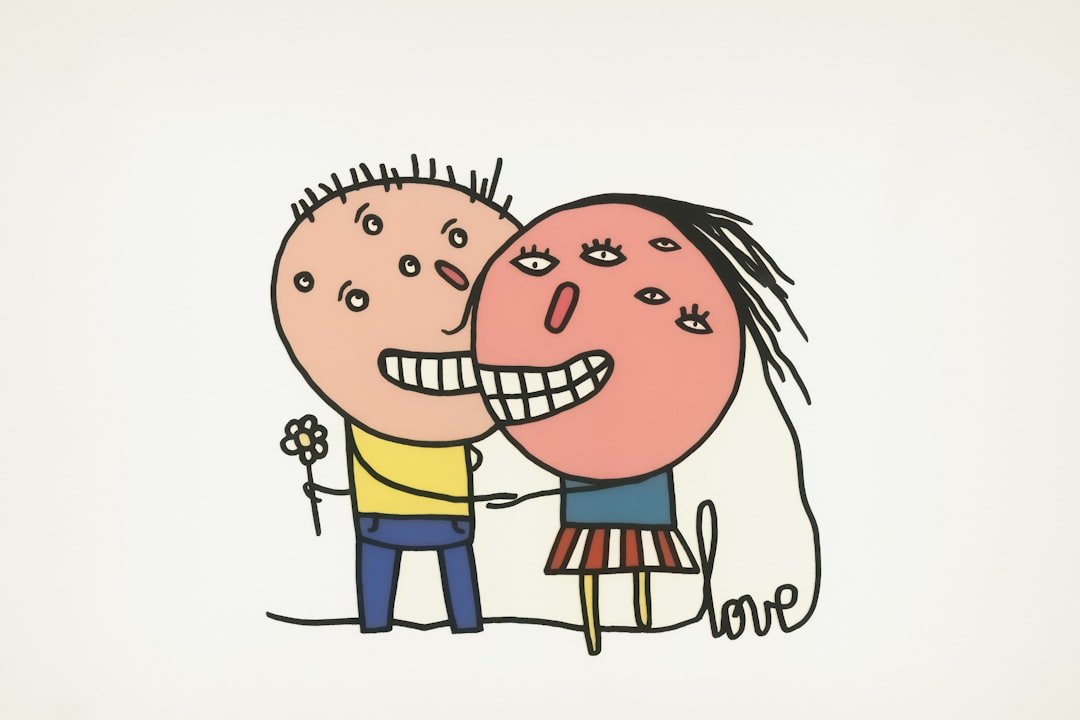
To choose the right tool, first think clearly about who the sticker is for and where it's used. The most common scenario is chat banter in acquaintance social circles; this need is large in volume and high in per-sticker usage frequency, with requirements for the art style being recognizability, clear emotion, and font and text content understandable at a glance. The second category is imagery for content platforms like official accounts, video accounts, and Xiaohongshu, where authors often need to express an abstract viewpoint with a fun image; this scenario values the coordination of image and text and style consistency. The third category is brand marketing and viral campaigns, where brands make a whole set of stickers with an IP image for users to download and spread in private-domain communities; this has the highest requirements for originality and copyright cleanliness, and copyrighted characters must not be mixed in during generation. The fourth category is internal corporate communication, where product managers, R&D, and sales use stickers to lighten the mood; this scenario is often one-time use, not large-scale distribution. Once you've clarified the scenario, choosing a tool has a direction, so you won't be led astray by various flashy features.
ChatGPT 4o Image Generation's Chinese Sticker Ability
The native image generation feature OpenAI integrated into ChatGPT is one of the most visibly changed capabilities of the past year or two; compared with the early DALL·E era, its biggest progress is support for Chinese text, which is especially key for stickers. Stickers usually need a sentence or a few characters embedded in the image; in the past, many models weren't friendly to Chinese character rendering, often producing jumbled strokes or strange composite radicals, while ChatGPT's image feature can now fairly stably render correct characters for common everyday phrases. Its advantage is a very smooth conversational workflow; describe the style, character, expression, and text directly in the chat box, and after generation you can have the model fine-tune local details, such as changing an expression, changing text, or adjusting the background color. Its shortcoming is that single-generation speed isn't the fastest, with obvious queuing when volume is large, and its fidelity to some niche anime and photorealistic styles isn't as extreme as dedicated drawing models. For users who don't want to fuss over parameters yet want controllable Chinese text, this is the lowest-threshold option.
Midjourney's Atmosphere and Art-Style Advantage
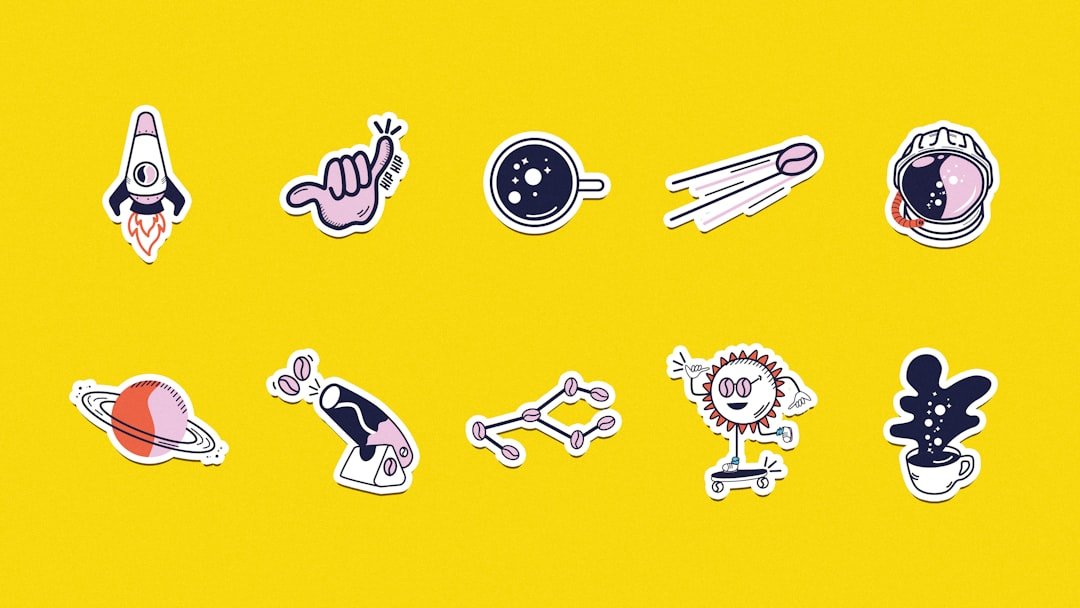
Midjourney takes a different route, known for its stylized visual atmosphere, with generated images often having a strong sense of design in texture and composition. When making stickers, if you want a unified visual style, such as watercolor, oil painting, pixel art, or cyberpunk illustration, Midjourney's stability in style reproduction is fairly outstanding among similar tools. Its workflow is currently mainly on Discord and the official web client, with prompts mainly in English; Chinese support requires translating first or using structured English expressions. Its direct rendering of Chinese text isn't a strength, so the common approach is to first generate a text-free pure character image, then add Chinese using another tool or post-processing layout software. Another characteristic is its strong community atmosphere; the public pool has plenty of excellent prompt examples, suiting it as a style inspiration library. For making a whole set of brand stickers with a unified style, Midjourney output often serves as the starting point, then handed to a layout tool for the finishing touch.
Jimeng's Position Among Domestic Tools
Among domestic vendors, Jimeng is an AI creation tool launched by ByteDance, with an experience fairly fitting to local users' habits in the Chinese sticker scenario. Its advantage is that Chinese prompts can be written very colloquially, and the model's understanding of internet slang and common emotional expression is fairly close to the context of domestic creators, with generated character images more in line with the aesthetics of Chinese social scenarios. Its art-style options are fairly numerous, with corresponding templates from anime and cartoon to photorealistic, and users can adjust based on a template rather than necessarily writing a prompt from scratch. On text rendering, Jimeng's support for common Chinese short phrases is also continuously optimized; while it can't be said to be 100% perfect, the few characters needed for everyday stickers can basically be generated controllably. Another draw is its integration with the ByteDance ecosystem; after export, you can directly sync to downstream tools like Jianying for further secondary processing, such as generating dynamic stickers or short-video assets.
Stable Diffusion's Local Deployment and Freedom
Stable Diffusion takes the open-source route, with model weights downloadable to run locally, and the ecosystem has a large number of community-trained style models and character models, which is the biggest reason for its influence in creative circles. For users pursuing extreme freedom and unwilling to upload assets to the cloud, Stable Diffusion is almost the only choice. Its runtime environment usually requires a GPU with sufficient VRAM, with common deployment methods being WebUI or ComfyUI, switching between various styles by loading different base models and LoRAs. In the sticker scenario, its strength is being able to train a dedicated character model, keeping the same virtual character's image consistent across different expressions and poses, which is especially valuable for making series stickers. Its shortcoming is a fairly high entry threshold, requiring an understanding of concepts like samplers, steps, and guidance scale, with a fairly steep learning curve for pure beginners, and local deployment has certain hardware requirements; without a suitable GPU you can only use a cloud service, and the experience is then not so different from directly using a cloud SaaS tool.
Lingtu as a Fast Entry Point in the iOS China Region
If a user mainly completes creation on a phone and is used to operating on iOS devices, they can pay attention to Lingtu, listed on the Apple China region App Store. Its full name is Lingtu AI Image Design, positioned as an AI image tool that can be completed on the phone, integrating drawing engines of various styles, including an atmosphere-leaning Midjourney-style engine, a photorealistic-texture-leaning Flux-style engine, and a speed-focused Nano Banana-style fast engine. The benefit of this aggregation model is that users don't have to download multiple apps for different styles separately; they can switch as needed within one interface, suiting the sticker scenario where style matching matters and you want to quickly try different directions. The interaction is entirely in Chinese, fairly friendly to domestic users' habits, and prompts don't need to be translated into English. Its positioning is more like a lightweight mobile creation entry point, suiting moments when inspiration strikes during a commute and you want to draw something immediately, and also suiting ordinary users who don't want to fuss over a complex desktop workflow. For professional heavy users, it certainly won't replace desktop Stable Diffusion or Midjourney, but as a supplementary tool to call up anytime on the phone, it's quite suitable.
Several Core Techniques for Sticker Prompts
Whichever tool you use, writing a good prompt is the first productivity. The first piece of experience is to write the expression and emotion at the very front, such as core emotion keywords like happy, surprised, helpless, or angry; the model will prioritize composing around the emotion. The second is to describe the character's appearance features, such as a round-faced cartoon kitten, a programmer wearing glasses, or a little girl in Hanfu; specifying a few feature points makes the image more stable. The third is to specify the style, such as cartoon illustration, watercolor, pixel art, or chibi-figure style; these style descriptions significantly affect the final visual temperament. The fourth is to control composition; a sticker is usually a single subject centered with room left for text, so adding descriptions like centered composition, solid-color background, and white space in the prompt is very helpful. The fifth is text content; keep the Chinese short phrases that need to appear in the image as short as possible, with three to five characters being most stable, as overly long ones are prone to errors. If the model isn't sensitive to Chinese, you can choose to first generate a text-free version and then add text with a layout tool, which actually saves time over repeated trial and error.
A Set of Practical Prompt Examples
Here are a few examples you can take and try directly. To make an angry kitten sticker, you can write: a round-faced cartoon kitten, cheeks puffed and eyes glaring, angry expression, chibi cartoon illustration style, pure white background, centered composition, an anger symbol above the head, with four characters at the bottom reading "qi si ben miao" (this kitty is furious). To make a sticker of an office worker working overtime, you can write: a young man wearing black-framed glasses, slumped over a desk piled with documents, exhausted expression, flat illustration style, with a blue-gray-dominant tone, the background a blurred office-building night scene, with four characters at the bottom reading "jin wan bu shui" (not sleeping tonight). To make a weekend-slacking sticker, you can write: a corgi sprawled on a sofa, with cola and chips beside it, blissful expression, Japanese healing cartoon style, warm tones, with four characters at the top reading "zhou mo kuai le" (happy weekend). These all arrange emotion, character, style, composition, and text in order structurally, and the actual generation results are much more stable than piling up adjectives.
Be Clear-Eyed About Copyright and Commercial Risk
AI-generated stickers seem readily available, but there are a few unavoidable issues at the commercial level. First, some tools' default terms state that images generated by the free version can only be used personally, with commercial use requiring an upgrade to the paid tier, so read the corresponding platform's usage agreement before using. Second, if the prompt contains a specific character name or brand name, such as a certain anime character, a certain real-person celebrity, or a certain brand mascot, even if the generated result is drawn by the model itself, it may infringe the original IP's image rights and portrait rights, and the risk is extremely high if used commercially. Third, the copyright ownership of AI-generated content is still being refined in different regions; mainland China already has precedents recognizing that AI works reflecting the user's intellectual input in the creation process possess a certain copyright, but platform terms and specific case circumstances vary greatly, so brands had best consult legal advice before using. Fourth, secondary modification during sticker spread; if others add text, change colors, or do secondary creation on your original, the range you can control is actually limited. This issue isn't unique to AI stickers, but AI further lowers the threshold for secondary creation, so have psychological expectations in advance.
Horizontal Tool Selection Advice
Finally, a simple selection guide. If you only occasionally need to make a sticker and can complete most of the operation in a chat app, ChatGPT's image feature is the most effortless, and Chinese text is passable. If you value visual atmosphere and style consistency and plan to make a whole set of stickers with a visual tone, Midjourney for the base image plus a layout tool for adding text is the classic combination. If you're a domestic creator who doesn't usually want to wrestle with English prompts, Jimeng's Chinese workflow will be very smooth, and it connects tightly with the ByteDance ecosystem. If you want to train a dedicated virtual image and pursue extreme freedom, willing to spend time learning parameters, Stable Diffusion local deployment is the most controllable solution. If you mainly create on an iPhone and want to quickly switch between different styles, Lingtu as a multi-engine aggregation iOS tool in the China region is a suitable lightweight entry point. In most cases, real creators use two or three tools at once, each playing to its strengths, rather than betting on a single one.
Frequently Asked Questions (FAQ)
Can AI stickers be used commercially
Whether they can be used commercially mainly depends on the terms of service of the tool used. Most platforms have restrictions on images generated by free users, requiring personal or non-commercial use only, and paid members usually get more generous commercial authorization. Even if the terms allow commercial use, the generated content must not contain others' copyrighted characters or celebrity portraits, otherwise even if the tool authorizes commercial use, there is still legal risk of being traced by the original IP holder. It's advisable to read the full usage agreement of the chosen tool before commercial use, and avoid using specific others' IP names in prompts.
Which tool is most stable at Chinese text rendering
From public testing and creator feedback, ChatGPT's integrated image feature and domestic vendor tools like Jimeng have overall fairly good rendering stability for common Chinese short phrases, because these products focused on optimizing Chinese scenarios during the training phase. Midjourney and earlier versions of Stable Diffusion have relatively weak support for Chinese text, and the common approach is to generate a text-free version and then add text with layout software in post. If you have very high requirements for text stability, prioritize tools that have done targeted optimization for Chinese scenarios, or simply hand the text step to post-processing layout.
Can I use Stable Diffusion without a GPU
You can, but the experience will be limited. Local deployment of Stable Diffusion usually requires a discrete GPU with fairly large VRAM; without a GPU you can use a Stable Diffusion-based cloud SaaS service, where the provider supplies the computing power and the user pays to buy generation quota. The advantage of the cloud solution is no hardware investment needed; the downside is that data must be uploaded to a third party, and cost accumulates with generation volume. If you only use it occasionally, the cloud solution is completely sufficient; if you need large-batch generation or training a dedicated model, local deployment is still the more cost-effective choice.
Can Lingtu replace professional desktop tools
Lingtu is positioned as a lightweight mobile entry point, aggregating drawing engines of various styles, suited to quickly completing creation on a mobile device. For professional heavy users, desktop Stable Diffusion and Midjourney still have irreplaceable advantages in freedom, output quality, and workflow, for scenarios like batch generation, training custom models, and deep integration with post-processing tools. Lingtu's value lies in complementing the mobile quick-creation need, letting users complete basic drawing work even without a computer, rather than replacing professional desktop tools; the two are better suited to being used together.
How should stickers be saved and distributed after generation
After generation, you can usually directly download them as PNG or JPG format; for stickers with text, it's advisable to save as PNG to preserve clear edges. When distributing for use in WeChat, you can use the WeChat sticker store's personal favorites feature or add them to custom stickers; when distributing to a community, the common approach is to organize multiple stickers into a sticker pack and send via a cloud-drive link or directly as a packaged file. If a brand is distributing for a campaign, they can integrate a mini-program's sticker-favoriting interface, letting users favorite the whole sticker set with one tap; this approach is fairly common in private-domain virality, and the specific implementation can be consulted with the corresponding mini-program development service provider.
📝 This article is from DouWen www.douwen.me . Please retain the source when reposting.
Original link: https://www.douwen.me/archives/1230/
💬 Comments (7)
Thanks for the detailed comparison.
Stats really back it up.
Great resource.
Practical tips not fluff.
Best summary I've read on this.
Bookmarked for reference.
Step-by-step is gold.