AI Email Assistant Top 6, 2026 Automation of writing email replies
🇨🇳 阅读中文版In 2026, the average professional handles 121 emails a day, and 60% of them are replies or forwards of routine content. AI email assistants compress this slice of time from two hours down to 20 minutes, instantly doubling your productivity. This article puts six of the most worthwhile AI email assistants through real-world testing to see which one fits you best.
Testing method: each tool was given the same five categories of email tasks: business communication, customer replies, internal collaboration, recruiting, and personal matters. We looked at draft quality, personalization, tone adjustment, multilingual support, integration depth, and price.
Using AI to Write Email Is Already a Basic Move

Email is an almost perfect match for AI. It's structured, follows fixed patterns, is easy to templatize, and has a high tolerance for errors.
English-language email: in 2026, 90% of professionals in North America use AI to draft emails. Microsoft Office users use Copilot, Google Workspace users use Gemini for Workspace, and freelancers use Superhuman or SaneBox.
Chinese-language email: AI email adoption among domestic professionals is still in its early days at 35%. Homegrown tools like WPS AI, Letterly, and Mailman have built up a user base, but they're far from hitting the ceiling.
Time savings: a medium-length English business email takes 8 to 15 minutes to write by hand. An AI draft plus human tweaks takes 2 to 4 minutes. If you write 10 emails a day, that's 1 to 2 hours saved daily.
Learning curve: AI email assistants have the lowest learning curve of all AI tools. Five minutes to get started, one hour to get comfortable, one week to make it part of your daily workflow. The return on investment is extremely high.
No. 1: Microsoft Copilot for Outlook
Microsoft Copilot is integrated into both the Outlook desktop and web clients, built on an optimized version of GPT-4.
Five core features. One, Draft with Copilot: generate a draft from key points with one click. Two, Coach with Copilot: evaluate an email you've written and offer suggestions for improvement. Three, Summarize: condense a long email or thread. Four, Schedule meeting: have the AI automatically arrange a meeting. Five, Reply with Copilot: have the AI draft a reply based on the email you received.
Hands-on test: given a "chase a customer for payment" task with key points entered, Copilot generated a 200-word English payment-reminder email in 10 seconds. The tone was professional without being offensive, and it included the specific amount and payment method. The quality was close to that of a seasoned salesperson.
Price: Microsoft 365 Copilot costs $30 per user per month, added on top of a Microsoft 365 subscription. That's equivalent to $360 per user per year, so the entry barrier is fairly high.
Best for: large-enterprise users, heavy Office 365 users, teams that write mainly in English and have a dedicated budget.
Drawbacks: Chinese support is basic, and the Chinese it generates leans toward literal translation. At $30 per month, it's a bit pricey for individual users.
No. 2: Gemini for Workspace
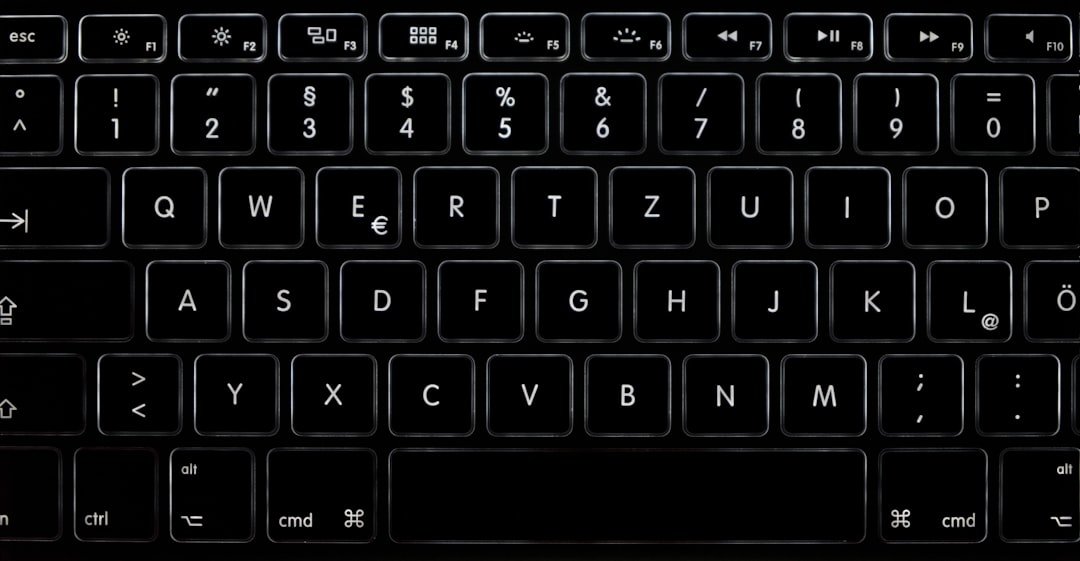
Google's AI email assistant is integrated into Gmail within Workspace.
Core features: Help me write, a button at the top of Gmail for one-click drafting. Refine, a tool to adjust tone from Formal to Casual. Summarize, to condense long emails. Smart Reply, which continues to improve its smart short replies. Inbox, which intelligently categorizes and automatically organizes your inbox by importance.
Hands-on test: given a "decline a customer's request for a lower price" task, Gemini generated a 250-word English reply in 12 seconds, tactful but firm, offering a compromise. It's on par with Copilot in quality, and Gemini is stronger at long documents.
Price: Gemini for Workspace Enterprise is $30 per user per month. Business Plus is $22 per user per month. Students and NGOs pay $5 per month. New users get a free first-month trial.
Best for: Gmail users, Google Workspace teams, English-language email scenarios, and researchers or lawyers who need to summarize long emails.
Drawbacks: like Microsoft Copilot, it's strongest in English and has basic Chinese support. Google Workspace has few users in China.
No. 3: Superhuman AI

Superhuman is the high-end standard-bearer for email management tools. Founded in 2017, it added AI features in 2024.
Core features: Write with Superhuman AI, which generates an email from a single sentence. Triage, smart categorization. Snippets, personalized templates that the AI fills in automatically. Calendar Integration, which automatically turns emails into calendar events. Read Receipts, email tracking.
Hands-on test: given an "invite an investor to a 1:1 meeting" task, Superhuman generated a 180-word email in 15 seconds: concise, professional, with specific time-slot proposals. It had the highest quality among the six tools, with precise tone adjustment.
UI experience: a keyboard-shortcut culture where every action can be done without a mouse. Cmd+K to search, J/K to move up and down through emails, E to archive, R to reply. Once you're used to it, you're three times more efficient than with a traditional email client.
Price: Superhuman is $30 per month, or $25 per month billed annually. Superhuman Business is $35 per user per month.
Best for: CEOs, salespeople, investors, high-volume users who handle 100+ emails a day, and keyboard enthusiasts.
Drawbacks: the monthly fee is steep and not suited to ordinary users. No Chinese interface.
No. 4: ChatGPT plus a Gmail Plugin
ChatGPT isn't a dedicated email tool, but with a third-party Gmail plugin it can do everything the others can.
How to do it: install the ChatGPT Writer Chrome extension. When you open Gmail and write an email, the extension's button appears in the toolbar. Click it, enter your key points, and ChatGPT generates the email in 5 seconds.
Alternatively, use Custom GPTs from the GPT Store launched by OpenAI, such as "Email Composer" or "Business Email Pro." You chat with the GPT in ChatGPT to generate the email, then copy it into Gmail.
Price: ChatGPT Plus at $20 a month lets you use GPTs. The ChatGPT Writer plugin's free tier allows 10 uses a day; Pro is $8 a month for unlimited use.
Hands-on test: quality is close to Copilot and Gemini, and sometimes even better. Plus users have the most flexibility, able to build a custom GPT tailored to their own writing style.
Strength: the best value for money. At $20 a month you already get all of ChatGPT's features, and email is just a bonus use.
Drawbacks: integration with Gmail is shallower than Gemini for Workspace, requiring a plugin as a middle layer.
Best for: people who already subscribe to ChatGPT Plus, don't want to buy a separate email tool, and want the best value.
No. 5: Lavender AI
Lavender is a dedicated AI tool for sales emails, founded in 2020. It specializes in optimizing for outbound sales scenarios.
Core features. One, Email Coach: evaluates the email you've written and gives improvement suggestions from a sales perspective, including predicted open and reply rates. Two, AI Writer: generates sales outreach emails with one click. Three, Personalization: pulls a prospect's LinkedIn information and automatically personalizes the email. Four, Analytics: an email performance dashboard covering open rate, reply rate, and deal-close rate.
Hands-on test: given a "reach out to the CTO of a U.S. SaaS company" task, you enter the CTO's LinkedIn URL. In 30 seconds, Lavender pulls the information and generates a personalized outreach email. The opening line references a recent LinkedIn post by the CTO to establish a connection. The professionalism is off the charts.
Price: Free, 5 emails per month. Starter, $29 per month. Pro, $49 per month. Team, $100 per user per month.
Best for: B2B sales, foreign-trade reps, marketers, and any work that requires cold outreach to acquire customers.
Drawbacks: limited to sales scenarios. Not suited for ordinary office email.
No. 6: Mailman AI
Mailman is a homegrown AI email assistant founded in 2021, focused on optimizing Chinese-language email.
Core features: smart drafting of Chinese emails. Multilingual translation, converting Chinese into English, Japanese, Korean, Spanish, Italian, French, and more. A template library of 500+ business templates. Smart Schedule, for intelligent scheduling coordination. Bulk Send, for sending emails in batches, suited to marketing emails.
Hands-on test: given an "apologize to a Japanese customer in Chinese" task, Mailman generated a Chinese version in 8 seconds and a Japanese version at the same time, with the Japanese conforming to business etiquette and using honorifics accurately. It produced the highest quality in the Chinese AI email scenario.
Price: free tier, 50 emails per month. Plus, 39 yuan per month. Pro, 99 yuan per month.
Best for: Chinese foreign-trade practitioners, cross-border e-commerce, anyone who needs multilingual email, and budget-sensitive domestic users.
Drawbacks: English quality is slightly below Gemini and Copilot. The web version's features are more basic than overseas tools.
A Side-by-Side Comparison of All Six Tools
English email quality: Superhuman first, Microsoft Copilot second, Gemini for Workspace third, ChatGPT plus plugin fourth, Lavender first for sales scenarios only, Mailman fifth.
Chinese email quality: Mailman first, ChatGPT second, the other overseas tools have basic Chinese support.
Integration depth: Gemini is deepest in Gmail, Microsoft Copilot is deepest in Outlook, the other third-party plugins are in the middle.
Price: ChatGPT plus a plugin is the best deal at $20 a month, covering email plus everything else. Mailman is the cheapest for Chinese scenarios at 39 yuan a month. Microsoft Copilot and Gemini Workspace are both $30 a month. Superhuman is $30 a month. Lavender is the most expensive at $49 a month.
Use cases: Outlook users must choose Copilot. Gmail users must choose Gemini. For Chinese scenarios, choose Mailman. For sales, choose Lavender. For value, go with ChatGPT plus a plugin. For heavy users, go with Superhuman.
Five Principles for Writing Emails with AI
Principle one: make the audience's identity clear. In the prompt, spell out "to my boss," "to a customer," or "to a colleague." The AI adjusts its tone from formal to casual based on the identity. If you don't specify, the AI defaults to neutral-leaning-formal, which doesn't fit well very often.
Principle two: give context. The AI doesn't know the backstory of your email. First state the background in one sentence, for example, "The customer placed a $50,000 order last week and now wants to delay payment by 30 days." Then write "help me reply." Only then can the AI produce a sensible reply.
Principle three: ask for specific actions. "Negotiate with the customer" is vague. "Offer three compromise options for the customer to choose from" is specific. The AI's output will be more structured.
Principle four: specify the length. "Short" is usually under 100 words, "medium" is 200 to 400, "detailed" is 500+. If you don't specify, the AI defaults to medium length.
Principle five: review for personalization. AI-generated emails can feel formulaic. Before sending, add one or two personal touches yourself, such as "Attached are last year's project results data" or "Let's Zoom on Friday to go over the details." Those one or two sentences turn the email from "written by AI" into "written by me."
The Legal and Ethical Risks of AI Email Assistants
Risk one: privacy leakage. All AI email assistants need to read your email content to train or generate. Microsoft Copilot and Gemini officially state that user emails are not used for training, but transmission and storage still happen on overseas servers. Confidential emails should not go through AI.
Risk two: copyright issues. Copyright in AI-generated content belongs to the user, but if your email is sent to a customer who reads it with an AI tool, that involves secondary transmission of data. Important contract emails are best written by hand.
Risk three: misreading important signals. AI summarization of long emails occasionally misses key information. For example, a customer email's "if we receive A by Friday" gets summarized by the AI as "the customer wants A but didn't say when." For important emails, you must read them through yourself and not rely entirely on the AI summary.
Risk four: auto-replies that turn into a joke. There were multiple news stories in 2025 of companies sending Smart Reply messages wrongly. A law-firm assistant used an AI auto-reply of "That sounds great" to a judge and was warned by the court.
Risk five: cross-cultural blunders. AI-generated emails occasionally go off the rails in cross-cultural scenarios: the wrong honorific level in a Japanese email, a missed festival greeting in an Arabic email, Indian English conventions. For cross-culturally sensitive emails, a human second review is a must.
Frequently Asked Questions
Is the free version of an AI email assistant enough?
For ordinary office scenarios, yes. The personal version of Gemini for Workspace has the basic Help me write feature. The free version of ChatGPT, with 30 uses a day, is plenty for everyday email. Mailman's 50 emails a month covers ordinary professionals. Only people in high-volume sales scenarios or who write 50+ emails a day need to pay. The advice is to use the free version for a month first, assess your actual frequency, then decide whether to upgrade.
Will recipients see through an AI-written email?
Experienced people can tell, but that's not necessarily a bad thing. In today's workplace, it's a default assumption that 50% of emails are AI-drafted; that's not a disgrace but efficiency. The key to being seen through isn't the AI fingerprint but whether the email content fits the actual situation. After AI generates a draft, add one or two personalized sentences yourself, tweak the tone, and rewrite the formulaic phrasing, and it turns from an "AI draft" into "my email." If you send it completely unchanged, it will come across as formulaic.
Is it effective to write sales outreach emails with AI?
Very effective. Lavender's user data shows AI-optimized outreach emails get three times the reply rate of purely human-written ones. The reason is that AI does the key work for you: personalization plus data-driven tone plus structural optimization. But there are two prerequisites. One, you must use a sales-specific tool like Lavender or Superhuman; generic ChatGPT performs much worse. Two, you must review it manually before sending; if you apply an AI template directly, it gets flagged by anti-spam algorithms.
What's the best tool for the domestic workplace?
Three recommendations. One, WPS AI: integrated into WPS Mail, with the best Chinese experience. The free version has basic features. Two, Mailman: specifically targeted at foreign-trade scenarios, with good multilingual support. Three, ChatGPT via a domestic relay such as OpenRouter. If you're at a state-owned or central enterprise, prioritize WPS AI for data compliance. For private-company users, the Mailman plus ChatGPT combination offers the best value.
If a team shares one AI email tool, will data leak?
Compliant enterprise-grade tools won't, but it depends on the terms. Microsoft Copilot for Business and Gemini for Workspace both explicitly isolate enterprise data and keep it out of training data. For third-party tools like Mailman, Lavender, and Superhuman, data is stored on their servers, and strictly confidential teams need to review the specific terms. The recommended approach: write core confidential emails by hand, and feel free to use AI for everyday operational and sales emails. Or choose a privately deployed AI email service like Microsoft Azure OpenAI.
📝 This article is from DouWen www.douwen.me . Please retain the source when reposting.
Original link: https://www.douwen.me/archives/1040/
💬 Comments (6)
Thanks for the detailed comparison.
Best summary I've read on this.
Clear and to the point.
Easy to follow.
Bookmarked for reference.
Step-by-step is gold.